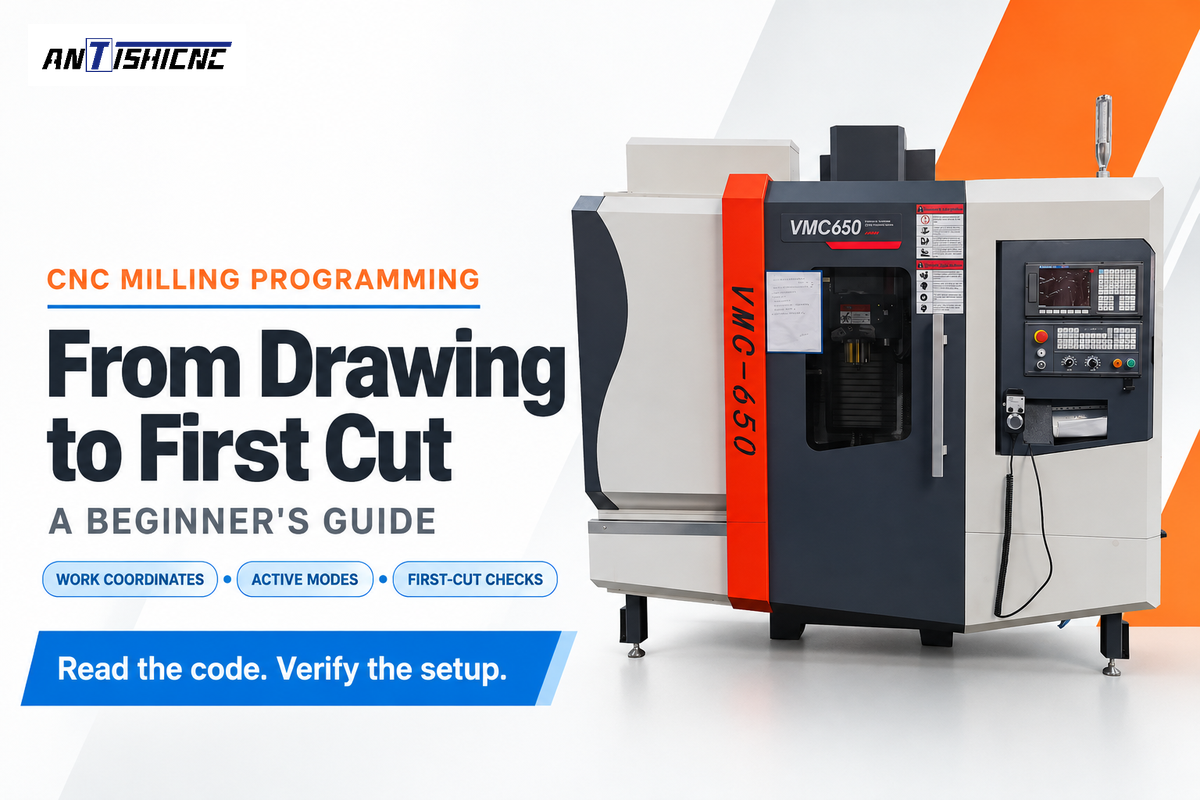





CNC milling programming takes a part drawing and turns it into instructions that move a cutter and manage machine functions. Start with a simple feature, identify its work coordinates, then read the program one line at a time.
Atualizado em outubro de 2026
Quick Specs: This Lesson
- Machine: a three-axis metal-cutting mill.
- Code reference: Haas mill instructions; other controls need their own definitions.
- Learning task: trace coordinates, modes and tool compensation.
- Example scope: a reading exercise, not a machine-tested production program.
Always have a drawing and a blank coordinate sketch near the code. To program a CNC mill, you must explain the position of the cutter and why that position is related to the workpiece. You must also figure out which settings determine how the machine tool interprets the move.
- A clean graphical preview doesn’t establish actual part dimensions.
- Tool selection, work coordinates and length compensation have different jobs.
- A feed formula needs tooling and material inputs before it becomes a cutting setting.
What Is CNC Milling Programming?
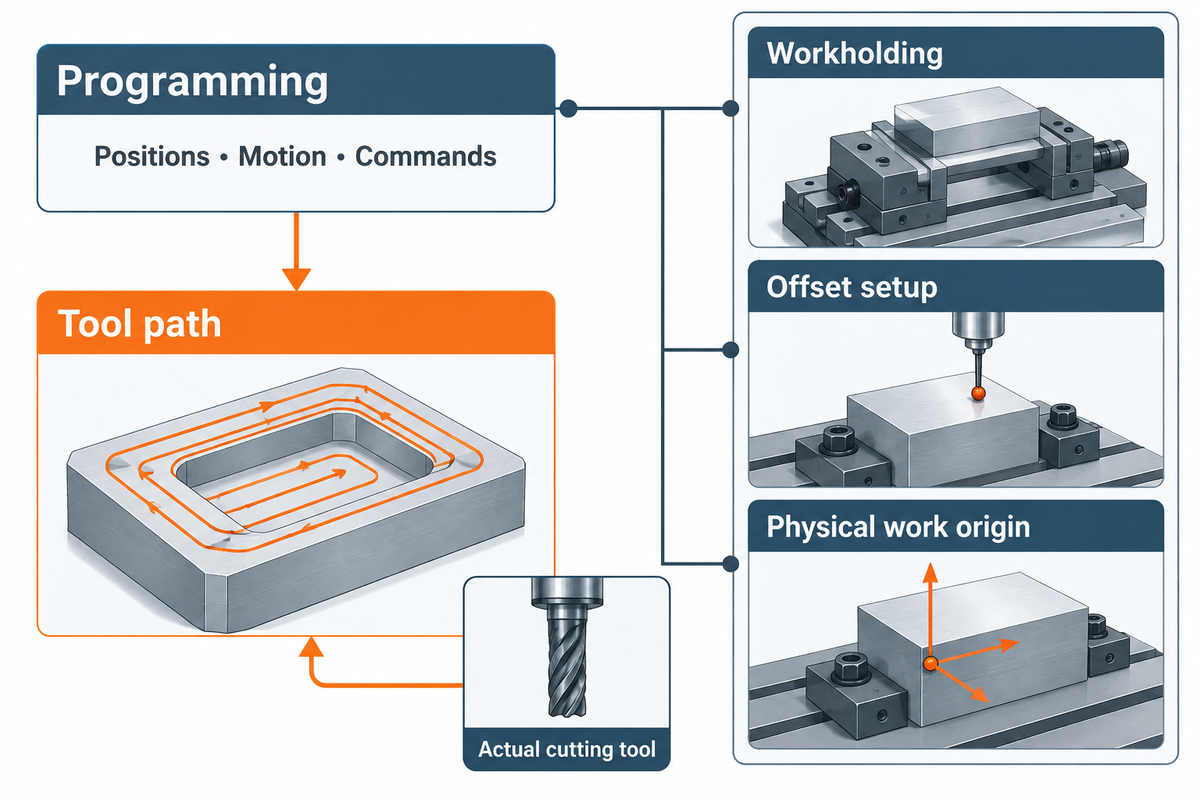
CNC milling programming means specifying cutter movements and functions needed to make a part on a computer numerical control mill. Programs describe positions, motion and commands. The setup locates the stock, secures it and relates the actual cutting tool to those programmed positions.
Imagine a drawing as the destination and computer numerical control programming as the route. The Northern Arizona University machining guide treats programming, workholding and offset setup as separate tasks: a correctly drawn tool path still needs the right physical origin.
How difficult is CNC programming?
CNC programming for beginners is manageable when you learn one operation at a time. Start with absolute coordinates, next trace rapid and cutting moves and finally determine the active tool and offsets. These observable programming skills are a better learning target than memorizing a complete CNC programming handbook before trying a simple exercise.
Choose Manual, Conversational, or CAM Programming
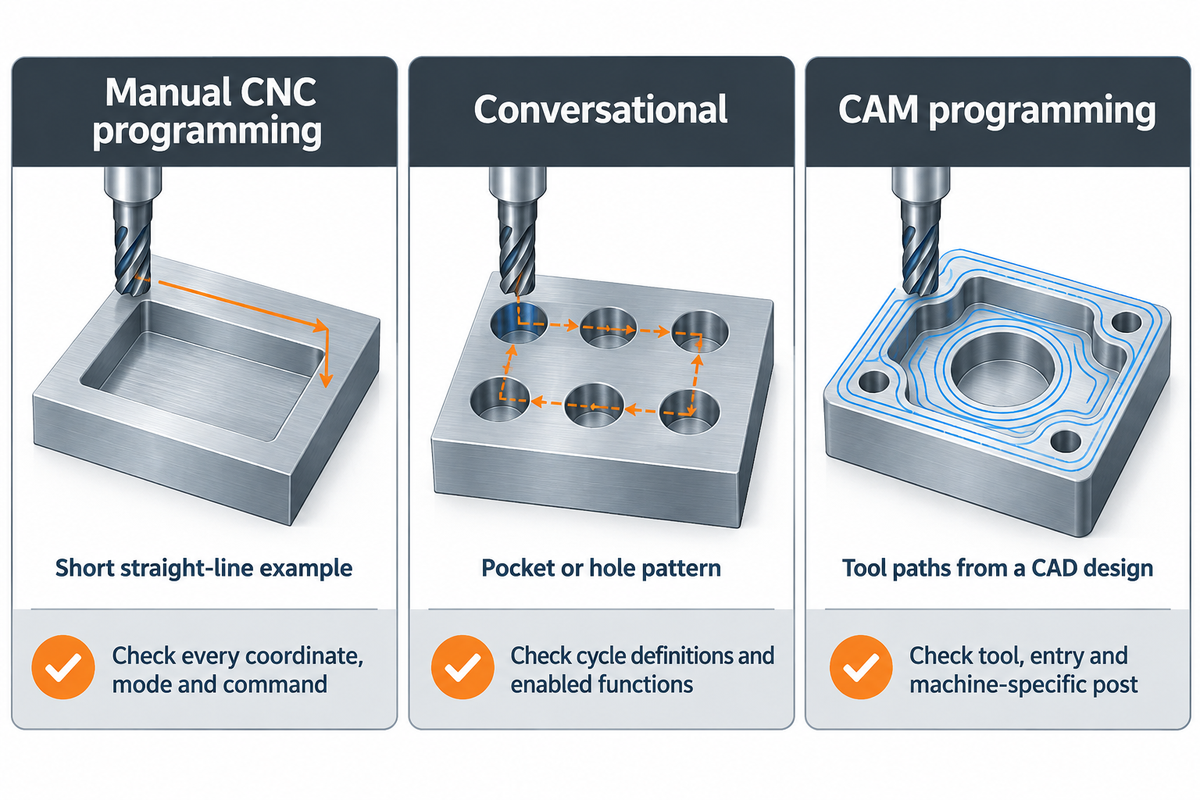
Select the type of CNC programming that fits the feature. Manual programming helps understand a short tool path; conversational programming uses cycles available on the control. Computer-aided manufacturing, or CAM, generates toolpaths from CAD models when entering and revising individual moves would be cumbersome.
| Método | Useful starting task | What still needs checking |
|---|---|---|
| Manual CNC programming | Read or write a short straight-line example | Every coordinate, mode and command |
| Conversacional | Build a pocket or hole pattern from available cycles | Cycle definitions and enabled control functions |
| CAM programming | Generate tool paths from a CAD design | Tool selection, entry strategy and machine-specific post |
A training part with a pocket and repeated holes is a good example. At first, the learner thinks it requires CAM software because the drawing looks complicated. McGill’s milling-machine documentation says that the Fagor control can make complicated parts as long as they can be decomposed into cycles already existing in the control. The practical question is whether or not the cycles describe the depths and referencing of the feature. If they do, features can be programmed at the control as the first lesson. If the surface is continuously varying, a model-based CAM workflow is preferable. Neither choice removes the obligation to analyze the generated CNC program.
What is the best CNC program for beginners?
The best starting CNC software is one that supports your training machine, part geometry and permitted use. A controller simulator helps you learn CNC code; CAD and CAM software support model-based work. Autodesk Fusion personal use has qualifying noncommercial restrictions, so ordinary company work needs an appropriate license.
Read the Drawing and Set Your Work Coordinates
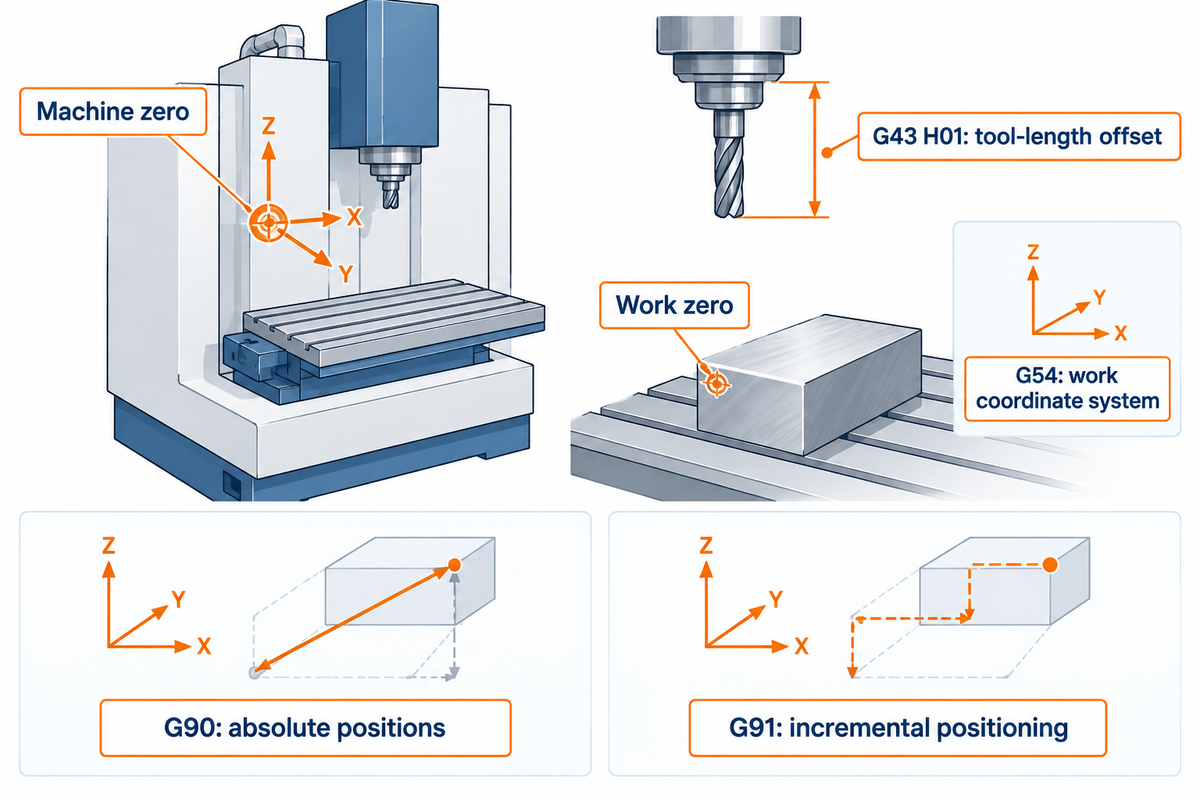
Select the part datum before entering coordinates. Machine zero belongs to the machine; work zero locates the part within its travel. On the Haas mill used here, G54 selects a stored work coordinate system, while G43 H01 applies a tool-length offset. Those settings connect programmed geometry to the tool tip.
When programming CNC machines, mark X, Y and Z directions on your sketch, then label the chosen origin and stock top. With G90 positions are absolute in the active coordinate system. G91 uses incremental positioning; conversational events can have additional control-specific reference rules.
Haas’s basic programming lesson uses T1 to select a tool and H01 for its length compensation. They serve different purposes. Agreement of the actual tool, measured length, and selected register is required; Haas also documents a setting to check T/H agreement.
- Mark the work origin on the drawing.
- Identify the active work-offset register.
- Match the installed tool to its measured offset.
- Treat machine zero as part zero.
- Assume a tool number measures its length.
- Copy another setup’s offset values.
Understand G-Codes, M-Codes, and Modal States
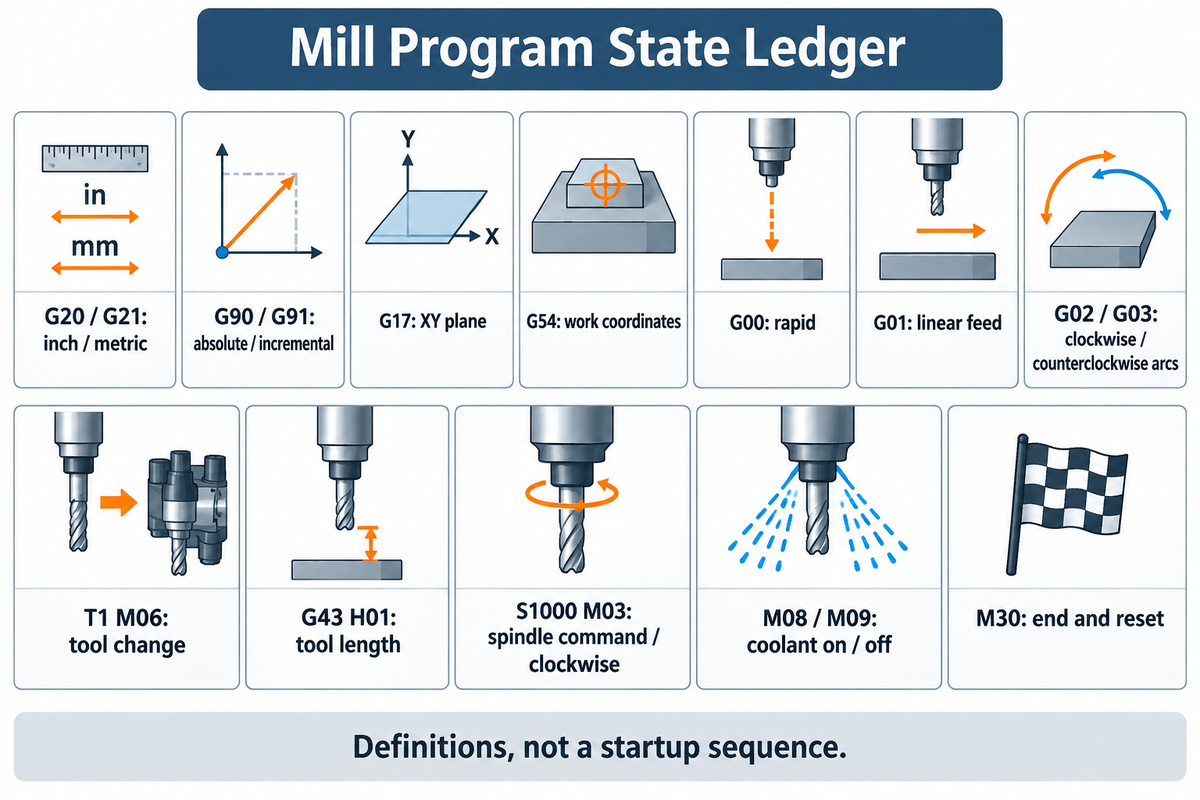
In CNC machine programming, motion and modes are described by G-codes. M-codes are also responsible for the control of spindle and coolant, tool changes and program completion. A modal instruction remains active until another instruction in its group replaces it. Understanding G-code therefore means tracking the current state, including settings that the next line does not repeat.
Mill Program State Ledger
The Mill Program State Ledger tracks active modes and allows you to explain each move using the settings currently in effect.
| Instruction category | State or function | Reading question |
|---|---|---|
| G20/G21 | Inch / metric units | What units apply to coordinates and feed? |
| G90/G91 | Absolute / incremental positioning | Which reference defines the destination? |
| G17 | XY plane selection | Which plane applies to relevant operations? |
| G54 | Work coordinate system | Where is this setup’s origin? |
| G00 | Rapid positioning | Is the complete rapid path clear? |
| G01 | Linear feed motion | What feed mode and F value apply? |
| G02 / G03 | Clockwise / counterclockwise arcs | How does this control define the arc? |
| T1 M06 | Tool selection and change | Which actual tool is installed? |
| G43 H01 | Positive tool-length compensation | Which measured length is applied? |
| S1000 M03 | Spindle command and clockwise rotation | Does direction suit the operation? |
| M08/M09 | Refrigerante ligado/desligado | What does this machine’s coolant command do? |
| M30 | Program end and reset | Have the required finishing moves occurred? |
Use the control’s definitions for the exact model and enabled options. A familiar command label doesn’t establish that an entire program transfers unchanged between CNC systems.
Follow a Simple CNC Milling Program, Line by Line
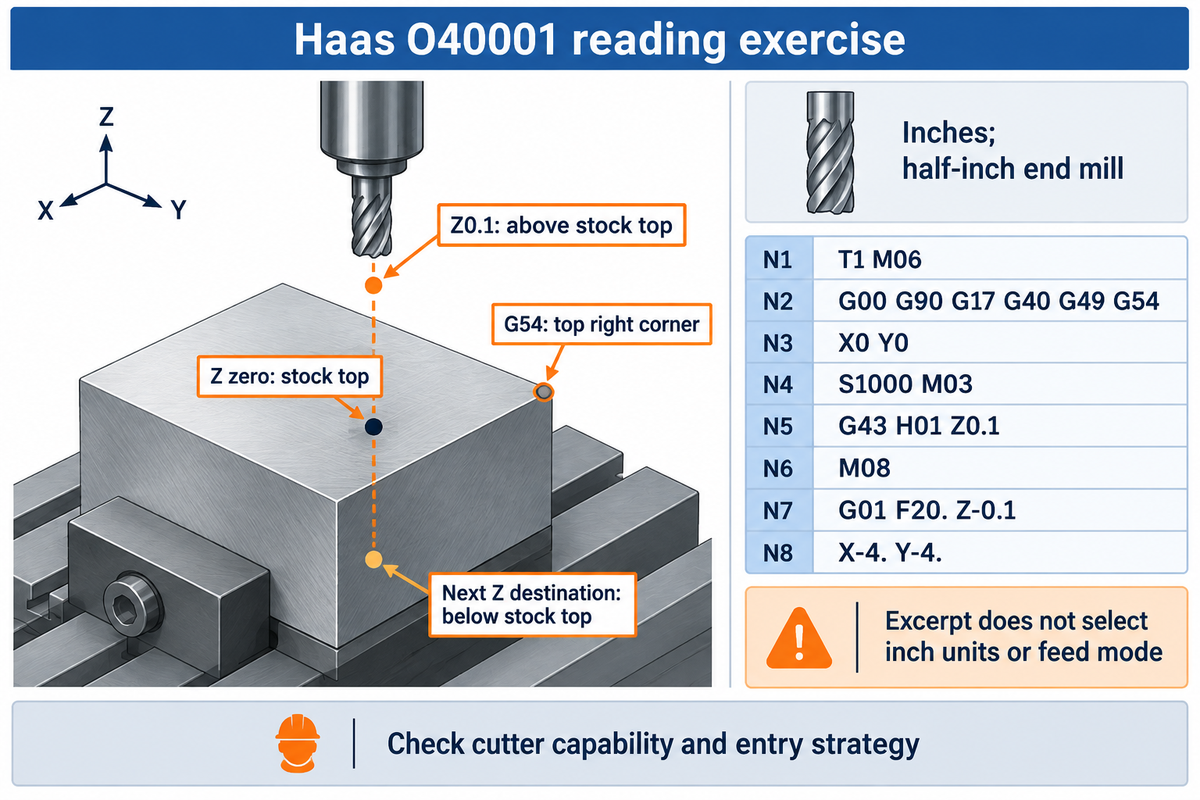
Read a milling example by analyzing its approach and cutting tool movements. The following excerpt comes from Haas program O40001. The lesson places G54 at the top right corner of the stock with Z axis zero at the top of the stock, uses inches, and describes a half-inch end mill.
Imagine you’re about to read a lesson before a supervised session with a teacher. X0 Y0 identifies the documented corner; Z0.1 describes a position above the stock top. The next Z destination is below the stock top, so tool capability is now relevant. A cutter aligned to the correct coordinate may still not be suitable for an axial entry. The excerpt also does not explicitly select inch units or feed mode. Record those dependencies next to your sketch and don’t treat a short downloaded program as a complete setup. The instructor-approved machine procedure must resolve tool, entry method, clearances and active states before there’s any real movement.
T1 M06
G00 G90 G17 G40 G49 G54
X0 Y0
S1000 M03
G43 H01 Z0.1
M08
G01 F20. Z-0.1
X-4. Y-4.
T1 M06 changes the tool. The next block establishes several modes and G54. G43 H01 applies length compensation during the Z approach. G01 makes the downward move a feed move; the following X/Y block retains that motion mode. Haas describes the cut as 0.100 inch, or 2.54 mm, deep. In its inch-based feed context, F20 means 20 inches per minute. The complete lesson from the OEM also describes its retraction and completion blocks.
“Not all endmills are center-cutting”
The university’s warning shows why an end mill can’t automatically be considered a drill. Tool capability and entry strategy belong in the programming process alongside the coordinates; this excerpt is for interpretation and has not been tested on your CNC machine.
Set Spindle Speed and Feed Rate for the Tool
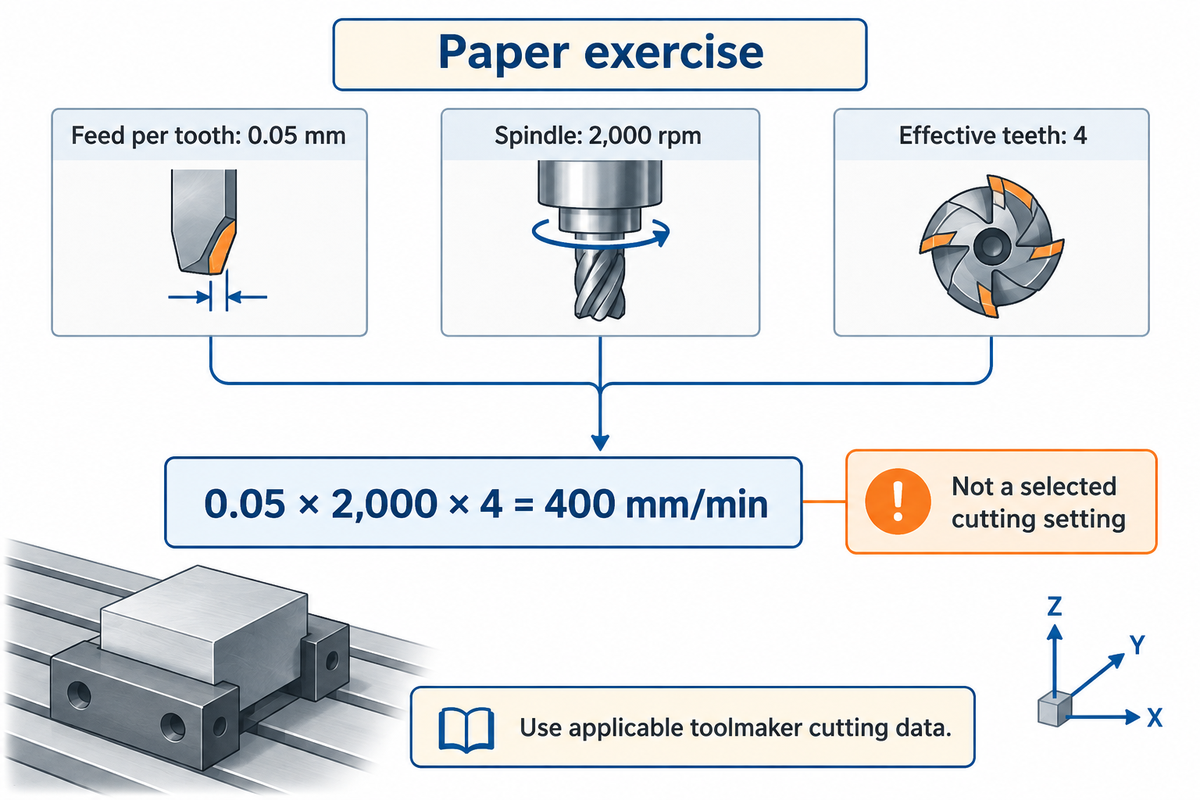
Set spindle speed in revolutions per minute. Feed rate sets how quickly the tool moves. Sandvik Coromant’s milling formulas relate table feed to feed per tooth, spindle speed and effective cutting teeth. These quantities must have consistent units.
Table feed = feed per tooth × spindle speed × effective cutting teeth.
For a paper exercise, suppose the spindle runs at 2,000 rpm, four teeth are effective, and the assumed feed per tooth is 0.05 mm. Table feed is 0.05 × 2,000 × 4 = 400 mm/min. If the exercise doubled the rpm and kept the other inputs the same, table feed would also double. The multiplication explains the relationship; it doesn’t select a suitable chip load for stainless steel, aluminum or a particular end mill. For actual tool selection, use the toolmaker’s applicable cutting data and the approved operation. Feed per tooth also differs from the changing chip thickness as an edge rotates through the cut.
O Purdue milling simulation lists feed per tooth and average chip thickness separately. Feeding too slowly can cause rubbing and heat that reduce tool life. So a lower feed isn’t always better. Increasing feed to reduce machining time also requires the right rpm and engagement. Our surface speed calculation lesson covers the rpm to diameter relationship.
Verify the Program Before the First Cut
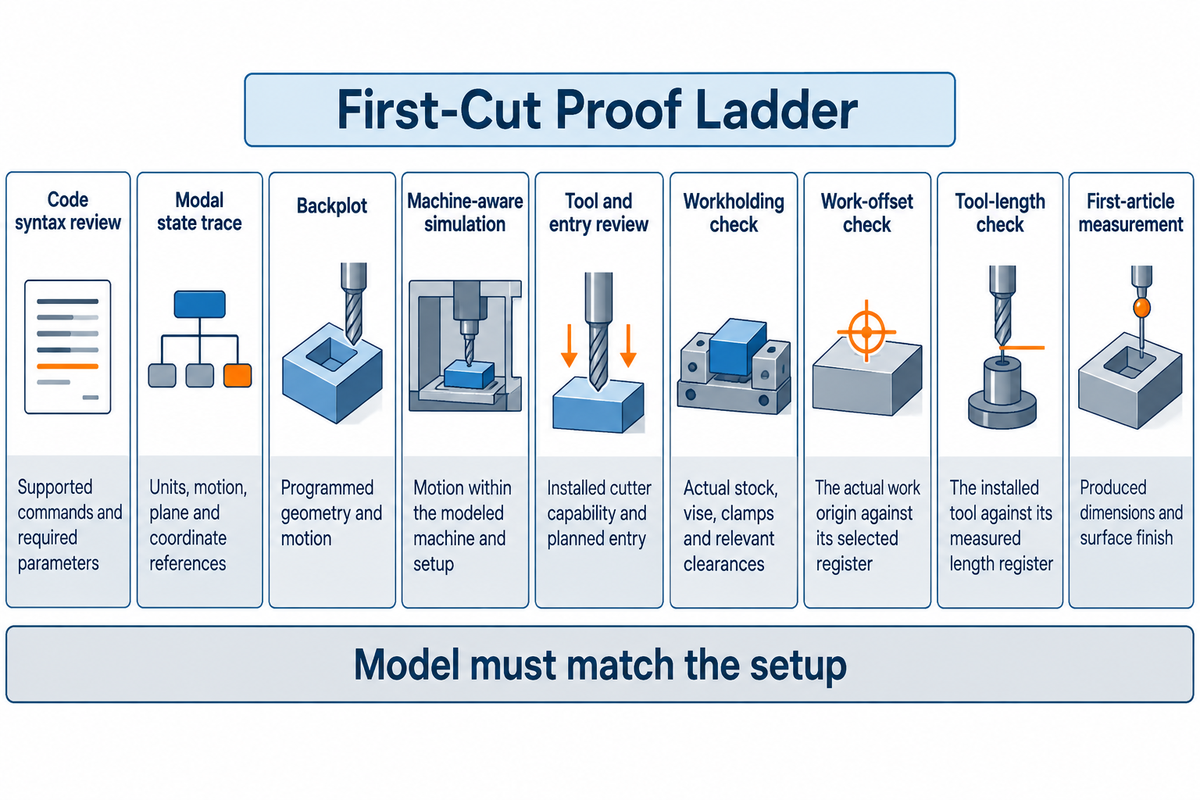
Verify code, simulated motion, and actual setups as separate items. A backplot may reveal a misplaced coordinate, but may say very little about the actual vise. Machine-aware simulation software may include holders and fixtures, but the model needs to match the setup. First article measurement verifies the produced dimensions against the drawing.
First-Cut Proof Ladder
The First-Cut Proof Ladder identifies what each check establishes and what’s yet to be established with different checks.
| Verificar | Useful evidence | Remaining question |
|---|---|---|
| Code syntax review | Supported commands and required parameters | Do the active modes match the plan? |
| Modal state trace | Units, motion, plane and coordinate references | Does the setup match those states? |
| Backplot | Programmed geometry and motion | Are holders and fixtures represented? |
| Machine-aware simulation | Motion within the modeled machine and setup | Is the model current and complete? |
| Tool and entry review | Installed cutter capability and planned entry | Can chips leave the actual cut? |
| Workholding check | Actual stock, vise, clamps and relevant clearances | Do modeled objects match these objects? |
| Work-offset check | The actual work origin against its selected register | Is the tool length also correct? |
| Tool-length check | The installed tool against its measured length register | Does cutting produce the required result? |
| First-article measurement | Produced dimensions and surface finish | What needs correction before the next part? |
Wisconsin’s ProtoTRAK lab separates actual reference setting from its LOOK display and warns that the display cannot reliably establish dimensional accuracy. For a first exercise, a qualified instructor should supervise a machine-specific prove-out. Noncutting motion checks and actual cutting require different judgments; “slower” alone does not select a sound cutting feed.
Production workflows can differ: Derek Korn’s 2007 report on the Advanced Composites Center describes a validated, machine-specific simulation process that replaced trial dry runs at that facility. That historical case isn’t a blanket instruction for other setups.
Match Your Program to the VMC and Training Plan
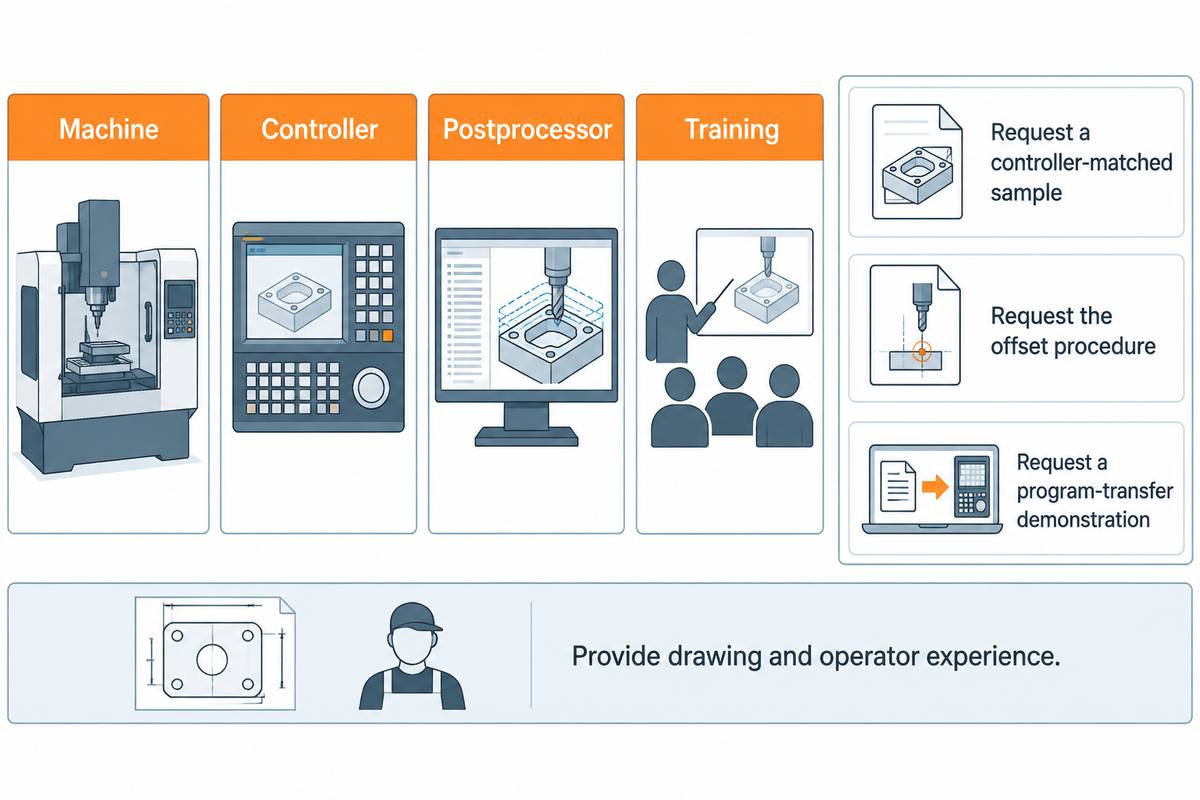
Match the machine, controller, postprocessor and training prior to selecting a programming package. CAM creates toolpaths and a postprocessor creates code for the machine and controller. A generic statement of G-code support doesn’t establish compatibility for all cycles, options and transfer methods.
McGill documents a MasterCAM post adapted between Fagor models that may require further tweaking. The public ISO 6983-1:2009 abstract discusses interchangeability within machine classes; its 2025 confirmation does not make programs universally portable.
When reviewing an ANTISHICNC vmc, request a controller-matched sample, the offset procedure, the post processor, and a program-transfer demonstration. Also, provide the drawing and operator experience. To improve efficiency during training, work through the CNC process from code review to measurement; continuous learning then builds on errors the learner can explain.
Learn to explain the active state and intended motion of a short program, then connect that explanation to a supervised, measured machine setup.
Perguntas frequentes
Does CNC require a lot of math?
Basic coordinates, arithmetic and geometry are the starting point.
You need to read dimensions, work with positive and negative coordinates, convert units and calculate speeds or feeds. Arcs introduce additional geometry. Start with a drawing you can sketch and calculate by hand, then compare your result with the program. Advanced CNC work can require more mathematics, depending on the geometry and machining processes involved.
What program is used for CNC?
A CNC controller executes the machine program; CAD and CAM help prepare it.
CAD software creates the part geometry, and CAM software uses that geometry to generate machining paths. A postprocessor produces the controller-specific output. The machine then interprets that output through its own programming language and supported functions. Some jobs use manual code or conversational cycles instead, so programming a CNC machine doesn’t always require the same software chain.
Can CNC machines work without CAM software?
Yes, through manual code or suitable conversational cycles.
Manual code can describe simple moves directly. Conversational controls can generate operations from feature dimensions and cycle inputs. Their usefulness depends on the available cycles and the part geometry. CAM becomes useful when generating individual tool paths manually would be cumbersome. CNC programmers still need to understand the output when they program CNC equipment, including its controller syntax and setup assumptions.
How do CNC mills work?
A rotating cutter removes material as controlled axes position the tool and workpiece.
The program coordinates those movements with spindle and other machine functions. Workholding and offsets relate the physical part to the programmed geometry.
Can I use the same milling program on a different controller?
Only after checking that controller’s syntax, functions and machine configuration.
FANUC-style commands may look familiar on another control, while cycles, compensation behavior and available options differ. The setup also changes the work coordinates, tool measurements and fixture relationships. Use the correct postprocessor when generating a new program, review the output and repeat the receiving machine’s approved verification process. A successful run on one machining center doesn’t establish that the unchanged file fits another.
ANTISHICNC publishes this guide for beginners who want to learn CNC programming and supervisors planning that training. In modern manufacturing, machining efficiency depends on more than generating code quickly: the operator must connect the output to a usable setup. These examples don’t represent an ANTISHICNC factory trial. For more, see our about us página.
Referências e fontes
- CNC Machining (Milling and Turning) Northern Arizona University, MPaCT Lab.
- Fresadora McGill University, Biomedical Engineering.
- CNC Mill Training Resources Universidade da Flórida.
- Aluminum chat, milling simulation data Universidade Purdue.
- CNC Mill 1, Lab Instructions University of Wisconsin, Madison.
- Program Prove-Out Via Machine Simulation Derek Korn, Modern Machine Shop, June 6, 2007.
- ISO 6983-1:2009 International Organization for Standardization, public abstract and status.
Related Learning
Use our SFM and rpm worked examples for the surface-speed calculation. Operators moving between processes can read the separate Programação de torno CNC lesson; its turning cycles are outside this milling guide.