





Feeds and speeds are the two cutting parameters behind every machining cut: the speed is the cutting speed (how fast the tool edge moves across the material, in SFM) and the feed is the feed rate (how fast the tool advances, in IPM or IPR). To get a perfectly clean part, versus a broken bit, it helps to know about SFM and IPM. In feed, we’ve two parameters: cutting speed (FPM / SFPM) and feed rate. If we hit the two of them at the right rates, we can obtain good results, such as a perfect finishing, minimal waste of the bits used in the task or quick operation times, but if we fail, the result will be a noisy finish, damaged surfaces and broken tools. Here you’ll find out, the formulas to calculate: Speeds and Feeds FPM and feed rates (in IPM or revolutions per minute)
Quick Specs: The Feeds and Speeds Math
| Spindle speed (RPM) | RPM = (3.82 × SFM) ÷ D |
| Feed rate (IPM) | IPM = RPM × chip load × number of flutes |
| Surface speed (from RPM) | SFM = (RPM × D) ÷ 3.82 |
| Turning surface speed | SFM = 0.262 × workpiece diameter × RPM |
| Units | D = diameter in inches · SFM = ft/min · IPM = in/min · chip load = in/tooth |
What Are Feeds and Speeds?
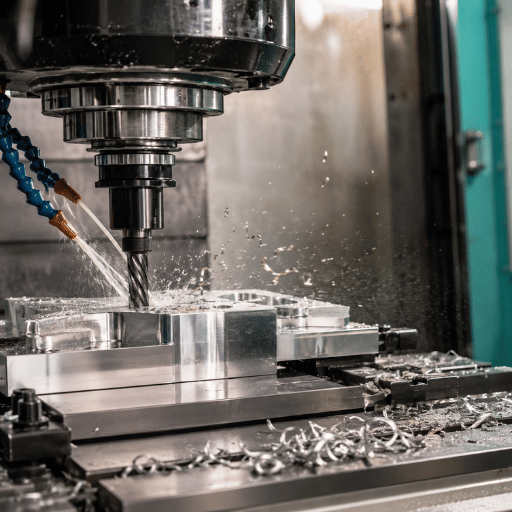
Feeds and speeds are the two motion settings behind every cut: the speed (cutting speed, in surface feet per minute) is how fast the tool edge moves across the material, and the feed (feed rate, in inches per minute or per revolution) is how fast the tool advances. You pick the cutting speed from the material and tooling, convert it to spindle RPM, then set a feed rate that gives each tooth the right bite.
In our experience building CNC lathes and mills, the operators who struggle most treat these as one setting: they pick a feed rate that looks safe and let spindle speed fall wherever it lands. That goes wrong because the cutting edge then runs at the wrong surface speed for the material, and a machine engineered to hold 50–4,000 RPM cannot rescue a number chosen for the wrong reason. University teaching labs such as Boston University’s Engineering Product Innovation Center publish deliberately conservative speeds and feeds for the same reason.
For job shop machining, there are only two motion parameters on which a cutting task is based: Feed rate and cutting speed. Cutting speed (the “speed”) dictates how quickly the tool’s cutting edge moves across the workpiece, usually listed in inches of cutting action per minute. On a lathe and generally with rotating tooling on the mill, it’s expressed in IPR (inches per revolution), or with linear motion on a mill, as SFPM (surface feet per minute). The feed rate (the “feed”) determines how rapidly the cutting tool move through the work, typically specified in IPM (inches per minute) on the mill, or IPR on a lathe, as Wikipedia’s Speeds and feeds entry puts it, “as they occur simultaneously…feeds and speeds are often discussed as a related, and frequently specified together, item.”
Why this distinction is important: The cutting speed will be responsible primarily for generating most of the heat and your tooling wear. The feed rate has responsibility for the chip thickness, cutting forces and surface finish. You’ll pick a cutting speed based on your material and tooling, then convert that to the spindle RPM for the specific diameter of your cutting tools and select a feed rate to provide a suitable bite per tooth. If this machine aspect of it’s entirely new to you, our primer on the basics of lathe and mill operation is an excellent starting point covering the hardware that these numbers interact with.
Cutting Speed and SFM: Surface Speed by Material
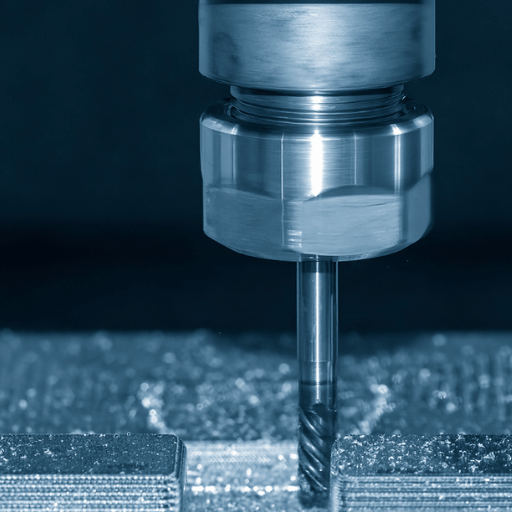
Machinists often misread a chart speed as an RPM. A 1/8″ tool and a 2″ face mill at the same 600 SFM turn at very different RPM, so a shop that skips the conversion will burn the small tool and risk a snapped cutter, because the wrong surface speed is the most expensive mistake in the cut. We size every spindle, built around that conversion, so that a 30% usable-RPM gap matters as much as the top speed.
The surface speed is a feature of the machine setup and the materials – not a property of the tool. For instance you can get better surface speed from aluminum that stainless and titanium. As you see, you figure the SFM your looking to achieve, you translate that to spindle RMP – and the machine has control over RPM – not surface speed.
RPM = (3.82 SFM) tool diameter. The 3.82 isn’t magic-it’s simply 12 (the 12” per foot divided by the 3.1416 in Pi). For example, a 1/2” diameter tool running at 600SFM would need (3.82 X 600) X .5” = 4,584 RPM. Memorize that 3.82 and you can mentally estimate RPM to SFC conversion forever.
How do you convert SFM to RPM?
Divide the surface speed by the tool diameter, then scale to a minute. The clean shop relation is RPM = (3.82 × SFM) ÷ D, where D is either the cutter diameter (milling) or the workpiece diameter (turning) in inches. For a 1/2″ tool at 600 SFM that is (3.82 × 600) ÷ 0.5 = 4,584 RPM, and most tooling handbooks state the same relation.
MIT’s Fab Lab adds an important real-world limitation to their speeds-and-feeds chart: a spindle might have to go above 2000 RPM just to get a decent surface speed out of small cutters, which explains why hobby routers can barely cut a chip of steel. Work the calculation backward (SFM = (RPM × D) ÷ 3.82) to determine the surface speed your desired RPM produces.
Honesty with the numbers here. The U of Florida machine-shop instructions clearly tell you, “These Recommended Surface Speeds are on the Conservative Side…” Similarly, most technical and handbook tables lean that way. Real shops that use coated carbide tools often push these rates far beyond what any of these tables suggest.
“The table below contains recommended surface speeds for common materials… These values are conservative.”
University of Florida Department of Mechanical & Aerospace Engineering, Design & Manufacturing Lab
Feed Rate, Chip Load, and Feed Per Tooth
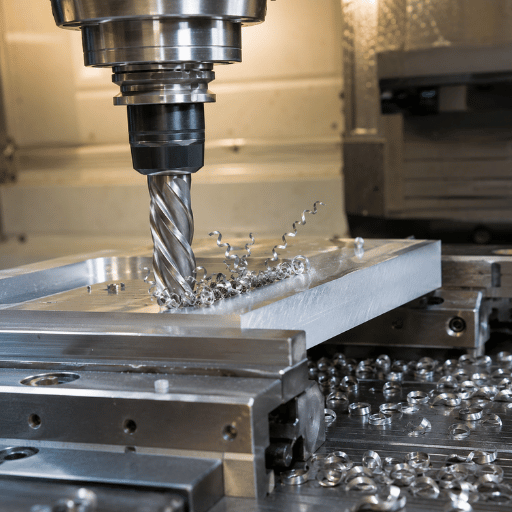
By far the most common feed mistake we see on machines sent back for “spindle problems” is a feed rate set too low. The tool rubs instead of cutting because each tooth takes almost nothing, and the heat that follows wears the edge and work-hardens stainless. A machine engineered for a 0.004″ chip load still fails at 0.0005″ because the physics, not the machine, is the limit.
Once you set RPM, feed rate determines how much material each cutter tip is taking off in a bite. The milling feed formula, stated identically by MIT’s Fab Lab and a lot of others:
Feed rate (IPM) = RPM × chip load per tooth × number of teeth
This feed rate formula pairs with the RPM formula from the last section: the RPM formula sets spindle speed from surface speed, then the feed rate formula sets advance from chip load and the number of teeth (the flutes) on the cutter. Whether you run high-speed steel or carbide, the math is identical; only the surface speed you plug in changes, since carbide tolerates far higher cutting speeds than high-speed steel.
Chip load (feed per tooth) is the thickness of material each cutting edge removes per revolution. It is the single most misunderstood number in feeds and speeds. Too high and you overload the tool, causing chatter and broken edges. Too low and the edge rubs instead of cutting, which builds heat, forms a built-up edge on the tool, dulls it fast, and causes work hardening in stainless steel. A widely used shop rule of thumb is roughly 0.001″ of chip load per tooth for every 0.25″ of cutter diameter, which lines up with the per-diameter chart later in this guide. Online tools such as the Machining Doctor chip load calculator use the same feed-per-tooth basis.
At first on prototypes and then on a few units, dial the chip load back to near the bottom of the recommended ranges, then-knowing there’s something a little more reserve available in cutting parameters- slowly work it back up towards higher loads, testing as you go, by feeding the tool faster until it starts to ch… that’s what it sounds like at least, until it stops with a clack. it’s better to find it like that purposefully than to break a tool unexpectedly while trying.
The Feeds and Speeds Formulas: A Worked Example
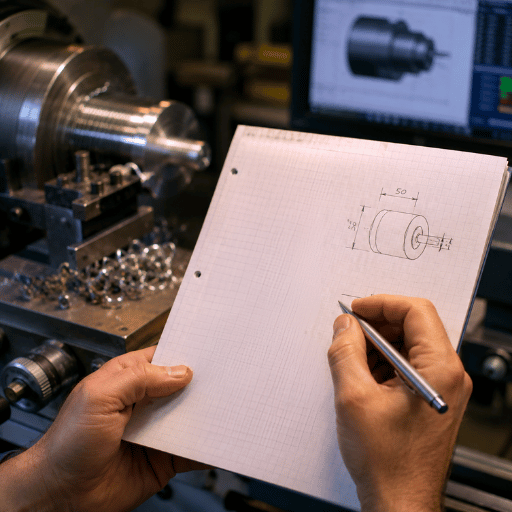
This is where a shop gets a nasty surprise: the calculator returns 6,112 RPM and the machinist sends it to a mill engineered to spin 4,000, so the tool never reaches the planned surface speed. We flag this risk during machine selection because a process that needs high RPM on small tools belongs on a high-speed spindle, not a standard one.
Charts and calculators are fine, but you should be able to do the math by hand to sanity-check any number a machine or app hands you. Here is the full chain, which we call The 4-Input Feeds and Speeds Method, because four inputs (surface speed, tool diameter, chip load, and flute count) give you both your spindle speed and your feed rate, the same calculation university machine shops like Olin College’s shop teach.
- Step 1, pick the four inputs: surface speed (SFM) = 800; tool diameter (D) = 0.5″; chip load = 0.004″ per tooth; flutes = 4.
- Step 2, solve RPM: (3.82 × 800) ÷ 0.5 = 3,056 ÷ 0.5 = 6,112 RPM.
- Step 3, solve feed rate: 6,112 × 0.004 × 4 = 97.8 IPM.
- Step 4, reality-check the machine. If your spindle tops out at 4,000 RPM, you cannot reach 6,112, so cap it at 4,000. That drops the effective surface speed to (4,000 × 0.5) ÷ 3.82 = 524 SFM, and the feed becomes 4,000 × 0.004 × 4 = 64 IPM.
The last point is where most shop calculators lied to students. The variable-speed machines that we build have spindle speed ranges of some where between 50-4000 rpm so the small cutter asking for high surface speed may have required a spin speed higher than most spindles of that type are capable of. An 1/8th diameter cutter ask for at 1000sfm would want about 30560 rpm which will take a high-speed router spindle to make it happen. On the standard mill/lathe, you bite back on the surface speed and the numbers don’t need adjusted the same. Want to see the code that produce these numbers, on our site you’ll find a reference to our g/m-codes list where S and F codes are direct indicators.
Feeds and Speeds Charts by Material
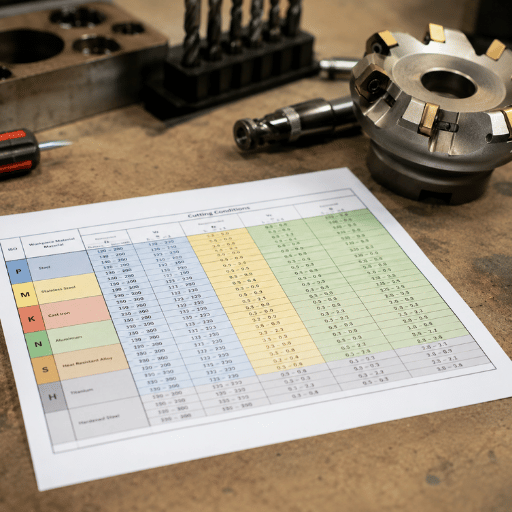
Charts tempt you to treat one value as the single right answer, and that is a costly mistake. A machinist cutting 6061 on a rigid VMC and another on a worn bench mill must not run the same number, because pushing the wrong value risks chatter and broken tools; rigidity, not the table, sets the ceiling, and a 30% cut in feed is sometimes the only fix. We publish ranges, not single values, for exactly that reason, the same way the University of Florida Design & Manufacturing Lab labels its surface-speed table conservative.
Use these as approximate, initial guide lines. The surface speed ranges below approximate conservative academic values and the more optimal values for modern coated carbide will attain, pick the lower value for solid setups in which you’ve some question and build on from here. These are cross referenced from University shops data, tool manufacturer speed and feed data, and engineering data bases.
| Material | SFM (HSS) | SFM (Carbide) |
|---|---|---|
| Aluminum (6061) | 250–400 | 600–1,200 |
| Brass / bronze | 150–300 | 300–700 |
| Cast iron (gray) | 50–90 | 200–450 |
| Mild / low-carbon steel (1018) | 80–120 | 350–600 |
| Stainless steel (304) | 40–70 | 150–350 |
| Tool steel (annealed) | 40–70 | 150–300 |
| Titanium alloy | 30–50 | 100–250 |
The range values shown were taken from the University of Florida Design and Manufacturing Lab, tool manufacturers’ suggestions and engineering reference books, and these are to be considered minimum appropriate ranges.
| End-mill diameter | Aluminum / brass | Steel / stainless |
|---|---|---|
| 1/8″ (0.125″) | 0.001–0.002 | 0.0005–0.001 |
| 1/4″ (0.25″) | 0.002–0.004 | 0.001–0.002 |
| 3/8″ (0.375″) | 0.003–0.005 | 0.0015–0.003 |
| 1/2″ (0.5″) | 0.004–0.006 | 0.002–0.004 |
Feeds and Speeds for Milling and End Mills
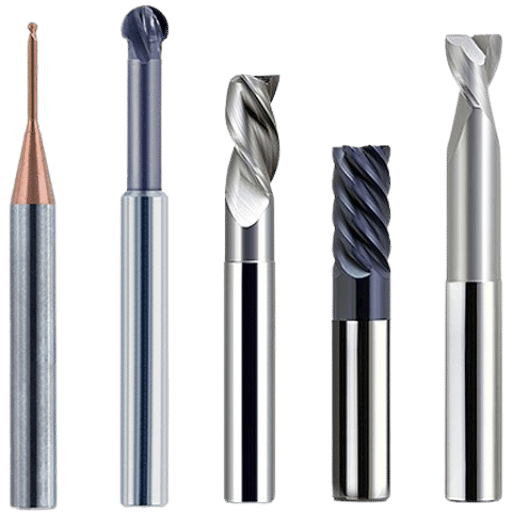
Classic milling error: one feed for everything. A profiling pass and a full-width slot are not the same cut, so a machinist who slots at profiling feed will snap the tool because the cutter jumps from 30% engaged to 100%; using one feed everywhere is the mistake that breaks more end mills than any wrong speed. On the rigid mills we build you can push the slot, but only after you derate the number the chart gave you; MIT’s Fab Lab feeds-and-speeds reference makes the same point about matching feed to engagement.
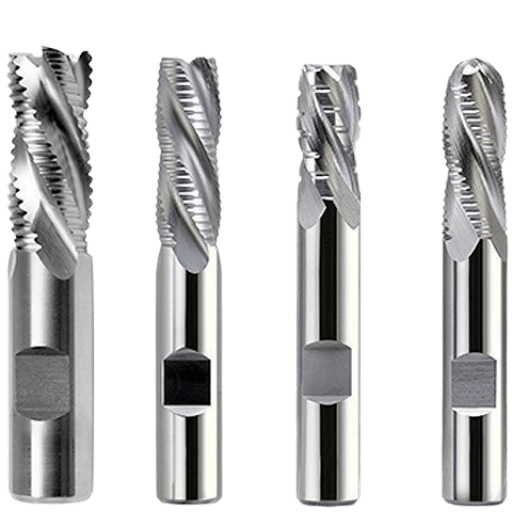
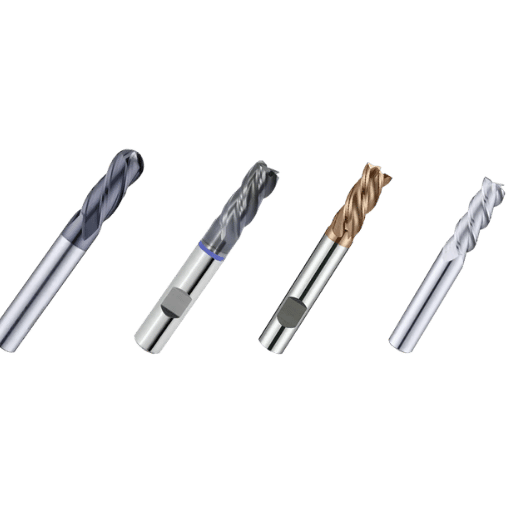
Milling is where the formulas above get used most. Pick the surface speed from the chart, convert to RPM for your end-mill diameter, then set feed from chip load and flute count. Two extra variables matter on a mill: radial depth of cut (how much of the cutter width is engaged) and axial depth of cut (how deep). A full-width slot engages the whole cutter and generates the most heat and force, so derate surface speed and feed compared with a light profiling pass. Aluminum usually runs 2–3 flutes for chip clearance; steel and stainless run 4 or more flutes for edge strength and finish, and a higher helix angle shears more smoothly for a better finish.
Direction matters too. Climb milling (the cutter rotation matches the feed direction) gives a thick-to-thin chip and a better finish on a rigid machine, and it is the default for most modern carbide work. Conventional milling (rotation opposes feed) starts each chip thin, which rubs and work-hardens some materials but tolerates backlash on older manual machines. Keep separate numbers for a rough cut, where you push depth and feed for material removal rate, and a finish cut, where you lighten the chip for surface quality.
What feeds and speeds should I use for a 1/4″ end mill?
Let’s take a 1/4″ (0.25″) 3-flute carbide end mill in 6061 aluminum. Start with 700 SFM: RPM = (3.82 × 700) ÷ 0.25 = 10,696 RPM. At a 0.0025″ chip load, feed = 10,696 × 0.0025 × 3 = 80 IPM. If your spindle caps at 4,000 RPM you are RPM-limited again, so cap there and the feed becomes 4,000 × 0.0025 × 3 = 30 IPM.
For the same tool in mild steel, drop to roughly 400 SFM (carbide) and a 0.0015″ chip load. Production milling like this is the daily work of our CNC milling machines, and a rigid vertical machining center is what lets you actually run the higher end of these ranges without chatter.
Drilling, Turning, Reaming, and Tapping
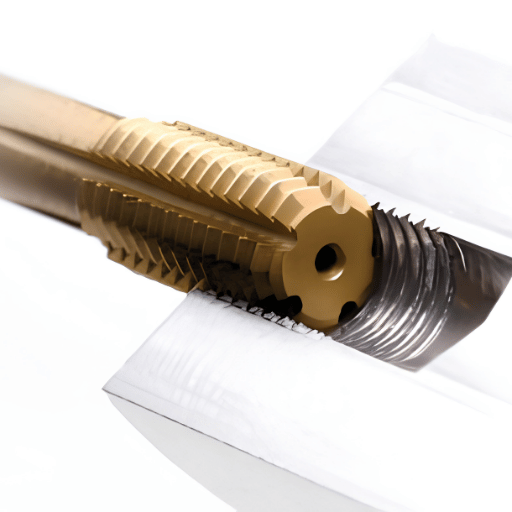
Each operation punishes the wrong feed differently. Push a reamer at drilling speed and it rubs and loses size by 0.001 in; feed a tap off its pitch and it strips the hole, because a tap has no choice but to follow the thread. We see both failures on machines that were fast but not rigid, which is why workholding matters as much as horsepower on a turning center.
That same surface-speed math applies across operations, but the feed units and adjustments change. Here’s how each differs from milling.
| Operation | Speed setting | Feed setting |
|---|---|---|
| Drilling | About 0.6–0.75× the milling SFM for the same material; RPM = 3.82 × SFM ÷ drill diameter | Feed per rev (IPR): ~0.001–0.002 under 1/8″, up to 0.008–0.015 over 1/2″; peck deep holes |
| Turning | SFM = 0.262 × workpiece diameter × RPM; use G96 constant surface speed | Feed per rev: 0.005–0.015 roughing, 0.002–0.006 finishing |
| Reaming | About half the drilling speed, to protect size and finish | 2–3× the drilling feed per rev, so the reamer cuts instead of rubbing |
| Tapping | Modest RPM; let the thread lead the tool | Feed is fixed by pitch: feed per rev = 1 ÷ threads per inch; use rigid/synchronized tapping |
Turning is the operation where the controller does the most work for you. A lathe running G96 holds a constant surface speed by raising RPM as the cutting diameter shrinks, so a facing cut keeps the same SFM from the rim to the center. Switch to G97 (fixed RPM) for threading and for drilling on the lathe. A tap is the strictest case of all: its feed is locked to the thread pitch, so a tap fed even slightly off ratio will strip the thread, which is why synchronized tapping exists. This logic live on every machine in our CNC lathe line, and the same surface-speed rules apply to manual work on a universal lathe. Operation-specific speed factors, like running a reamer or counterbore slower than a drill, are documented in university shop charts such as Olin College’s milling speed reference. Choosing the right cutter for each job is its own topic, covered in our guide to essential lathe cutting tools.
Adjusting Chart Values for the Real World
Charts assume an ideal setup. Your machine, fixture, and tool length rarely match the lab. Use this decision sequence to move off the starting numbers in the right direction. Peer-reviewed work on cutting-parameter selection shows the same trade-off between feed, speed, and tool life. We tune published numbers down on lighter machines because rigidity, not the chart, sets the limit, and a process built around a 0.004″ chip load still needs a 20% haircut when the tool is long.
- Chatter or vibration? Reduce RPM 10-20%, nudge feed up slightly, shorten tool stickout, and check workholding rigidity before anything else.
- Poor surface finish? Reduce feed or add a light finish pass at higher RPM, and check spindle and tool runout.
- Rapid wear or burning edges? Slow down your surface speed (RPM), flood or target with coolant, and make sure you’re clearing chips – not recirculating them.
- Low radial engagement? – say below 30% of diameter – engage Chip Thinning: your real chip load will be a lot smaller than programmed, so compensate with a higher programmed feed to keep the real chip load where you want it.
- Light, old or long set-up? Go light with surface speed, depth of cut and take more passes: a wobbly set-up simply won’t achieve handbook values.
Most people forget about chip thinning: as a resource notes, chip load equals feed/tooth only where depth of cut is equal to or exceeds the cutter diameter. Once we turn the dial down – use less than half the cutter diameter engaged (radial depth of cut) – we “thin the chip” and the true chip load decreases. As our education section says, this “chip thinning phenomenon is the primary reason why high-speed machining produces such high feed rates when used at light engagement.”
6 Feeds-and-Speeds Mistakes That Break Tools
Each mistake below ties cutting parameters to tool life, a relationship documented in peer-reviewed machining research.
There aren’t many different reasons why we’re snapping tools, but most of them go to a familiar half dozen – drawn from years in shop rooms and toolholder catalogs:
- Failing to check the machine’s RPM limit. When the SFM is high, smaller end mills are going to try and suck up the RPM needed before we hit machine limits – so cap it!
- Keeping the chip load down too far. Low chip loads are less aggressive, but they make the tools rub and heat more. They lead to rapid edge degradation because the tool get hard work out of the cheap and nasty low-chip-load work hardened part of the material that was previously abused. This is more true in stainless steels than any other metal!
- Not adjusting feed with light engagement. A “conservative” light cut, at a shallow radial engagement, can starve the tool and wear it at the same rate of an aggressive cut just because chip thickness decreases with decreasing depth of cut. A light chip isn’t really a chip at all – so don’t overfeed and wear it down!
- Poor choice of flute number for the material and or cutter/tooling style. Too many flutes create congestion that pack out material while too few flute numbers don’t provide rigidity in tougher materials and cut less freely, while producing a coarser surface.
- Using handbook numbers as a ceiling not a minimum guideline. Most charts will tell you that handbook numbers (based on HSS) have an effective multiplier of approx. 3x for carbide tools when viewed as a baseline not a limit and the faster you run SFM the more tool life deteriorates – just be mindful how quickly.
- Using the same feed rate for slotting and profiling. A full depth cut, down into a slotting application will ask much more from the tool on each flute rotation than when cutting a finish pass which is lighter, so a feed that work on a finish will likely smash the tool during slotting.
The exact quantitative relationship between speed and tool life can be approximated by the Taylor Tool Life Equation and is described mathematically in ISO 3685. Tool-Life Testing of Single-Point Turning Tools. You should also know that once you exceed a certain SFPM on any tool for any given application the tool-life rate begins to decrease rapidly. In short, you cannot just maximize speed and minimize tooling time.
Industry Outlook: Adaptive and AI-Driven Feeds and Speeds
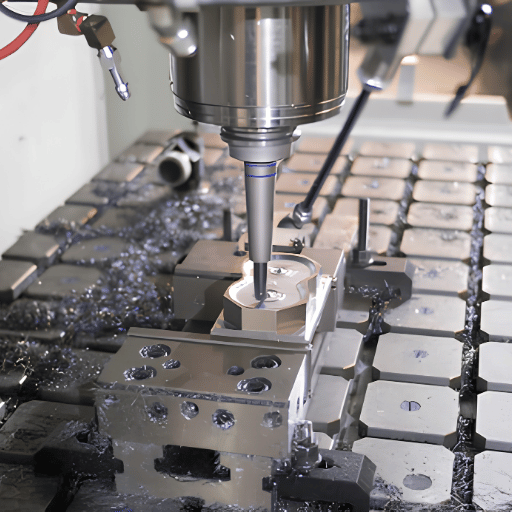
For machine builders this shift sharpens the same skill rather than replacing it. An operator who does not understand SFM will trust an adaptive system blindly and miss the moment it is masking a setup problem, because the software holds force, not judgment. We build the spindle sensing that feeds these systems, and a machine still depends on a machinist who can sanity-check 4,000 RPM against the cut; on the shop floor that judgment is what separates a 6,112 RPM target from a 4,000 RPM reality.
The biggest change to feeds and speeds isn’t a new formula; it’s the person setting the number. Adaptive control systems now read real-time spindle load, vibration and temperature and automatically march the feed override up or down in real time to maintain a constant cutting force, rather than a constant programmed feed.This is at the heart of high-speed machining (HSM), taking very light radial cuts at very high feeds.The patent literature already recognized this. US20020091460A1,for example, describes an adaptive control that adjusts the effective feedrate based on cutting forces detected by sensors on the spindle. US8880212B2 (High performance milling) likewise disclosed controlling feed rates to keep machining load within a predetermined range. CAM-software companies,too, now provide adaptive and trochoidal toolpaths that keep the tool’s engagement with the material fairly constant, allowing the tool to be fed much faster.
The main judgment,for a shop owner looking to machine with any proficiency,is that adaptive control turn tables of starting feeds and speeds into jumping-off points rather than landing strips. This has the effect of, rather than decreasing, increasing the importance of understanding the base physics behind cutting tool performance. Anyone familiar with SFM, chip load and chip thinning, after all, will quickly learn when a machine’s self-adjustment is making sensible, economic decisions and when it’s masking a fundamental problem. The research into machining economics -such as this peer-reviewed paper examining cutting-parameter choice for a piece of a composite aluminum-has continually kept reaching the same conclusion: to get the highest rate of material removal that you still have room for within the framework of tool life and cost-you’re going to make that trade-off according to the very same principles of speed and feed that have guided us for a century.For further insight from machine to CAM, see our ANTISHICNC machining blog.
Frequently Asked Questions
What’s the difference between feeds and speeds?
View Answer
Speed and feed are two different settings. ‘Speed’ is the cutting speed: the units of SFM (surface feet per minute) indicate how fast a point on the tool’s edge traverses the material. Feed is how fast you advance into the work — inches per minute in milling and inches per revolution on a lathe.
Speeds affect tool wear, heat, and the quantity of chip produced. Feeds directly control chip thickness, chip force, and finish in a way that speeds do not. So yes, you set both the speed and feed — it is not an irrelevant coincidence that they are specified together. For example, doubling the spindle speed mostly burns the edge faster, while doubling the feed mostly thickens the chip and loads the spindle, so the two knobs fail in two different ways and you reach for a different one depending on whether you see scorching or hear a stall.
How do you calculate RPM from SFM?
View Answer
To get the spindle speed (RPM) from the cutting speed (SFM), the formula is RPM = (3.82 × SFM) ÷ D, where D is the tool diameter in inches. The 3.82 coefficient is 12 divided by pi. For example, a 1-inch tool run at 600 SFM needs (3.82 × 600) ÷ 1 = 4,584 RPM.
Always check that the required RPM falls within your spindle’s range — small tools running at very high cutting speeds demand more RPM than many machines can deliver.
What feeds and speeds should I use for a 1/4″ end mill in aluminum?
View Answer
For a 1/4-inch carbide end mill in 6061 aluminum, run about 700 SFM. That works out to roughly RPM = (3.82 × 700) ÷ 0.25 = 10,700 RPM. Multiply a 0.0025″ chip load by the three flutes for a feed of about 80 IPM.
If your machine tops out at 4,000 RPM you are RPM-limited, so cap there and the feed drops to about 30 IPM. Always start conservatively; listen to the machine and raise the feed rate only if the cutter sounds clean.
Can I just use the manufacturer’s recommended feeds and speeds?
View Answer
Why is my tool chattering or breaking?
View Answer
Chatter and breakage usually trace to one of a few causes. Chatter means the feed rate or RPM is too high for the rigidity, the tool stickout, or the work-holding; reduce RPM 10-20%, shorten the tool overhang, and tighten the work-holding.
Breakage means the feed per tooth is too high, the tool is re-cutting chips, or a small tool ran past its safe spindle speed. Verify chip clearance, add coolant, confirm feed per tooth for the diameter, and make sure a light radial pass is not starving the tooth through chip thinning. Change only one variable at a time to isolate the fix, and if the noise returns at the same point in the cut on every pass, suspect the setup, the stickout, or the fixture rather than the feed and speed numbers themselves.
Do feeds and speeds change between metric and imperial?
View Answer
What is chip load per tooth?
View Answer
Talk to Our Engineering Team
The difference between the right machine and the wrong machine can sometimes be the difficulty of accurately controlling feed rates and speeds. If you’re trying to match the best mill or lathe to the materials you machine, our engineers can help size up the spindle, control and rigidity.
How We Built This Guide
We make machine tools; as a result, we look at feed rates and speeds through the lens of cutting tools and machines.ANTISHICNC engineer’s look at a cutting operation through speed ranges of spindle rpm, rigidity and cutting data on the real machine world. University machine-shop data and machining data have been used as guidelines for creating cutting data in tables and examples have been worked out by hand. reviewed by ANTISHICNC engineering team.
References & Sources
- Speeds and feeds — Wikipedia (definition and parameters)
- Speeds and FeedsUniversity of Florida, Department of Mechanical & Aerospace Engineering
- Speeds and Feeds Calculator notes — MIT Center for Bits and Atoms (Fab Lab)
- Common Milling Speeds chartOlin College Machine Shop
- ISO 3685:1993, Tool-life testing with single-point turning tools — International Organization for Standardization
- Machining economics and cutting-parameter selection for an aluminum composite — PMC, U.S. National Library of Medicine (peer-reviewed)
- US20020091460A1, Hybrid CNC control / adaptive feedrate and US8880212B2, High performance millingGoogle Patents (USPTO)
Related Articles
- G-Code and M-Code List — the S and F words that set speed and feed in the program
- Benefits of Digital Readouts for Lathes — holding position while you tune feeds and speeds
- About ANTISHICNCthe machine builder behind this guide