




Conversational cnc programming is a graphic, menu-driven method for creating CNC machine toolpaths without writing raw G-code line by line, and neither method is universally better: the right choice depends on batch size, feature geometry, and whether programming happens at the machine control or an offline workstation. For 2-axis turning jobs and 2.5D prismatic milling plates in 1 to 10 part batches (CTE), shops lean on graphic menus and prompts that shorten learning curve time and reduce setup time.
Quick Selection Summary: Conversational vs Manual G-Code vs CAD/CAM
- Single piece prototypes, maintenance repair shafts, and 1 to 10 part job-shop batches lend well to conversational programming, which mainly consists of turned diameters and threads, with 2.5D pockets and 3 +2 indexed faces.
- Compact 30 to 100 line turned bushings (MecSoft), custom macro probing routines, and repeat runs where cumulative batch cycle-time savings (N × Δt_cycle) exceed setup savings fit manual G-code (ISO 6983).
- For rest milling with multi-channel synchronization and 3D sculptured surfaces, which go beyond the limits of conversational control, shops should rely on CAD/CAM software.
- Controller selection should match output architecture to shop workflow: template compilers emit editable ISO G-code, whereas proprietary unit-tree controls store native conversational files separately from EIA/ISO code.
Direct Engineering Verdict: For 1 to 10 piece job-shop runs of 2D profiles, stepped shafts and 3+2 indexed hole patterns where first-part turnaround time is critical and total job cost is the primary constraint, Conversational CNC programming is better than manual G-code. Manual ISO G-code is better when direct line-level control over canned cycles, subprograms, and cutter compensation is desired while CAD/CAM software handles more complex 3D surface toolpaths and multi-setup stock models.
1. How Conversational CNC Programming Works Compared to ISO G-Code
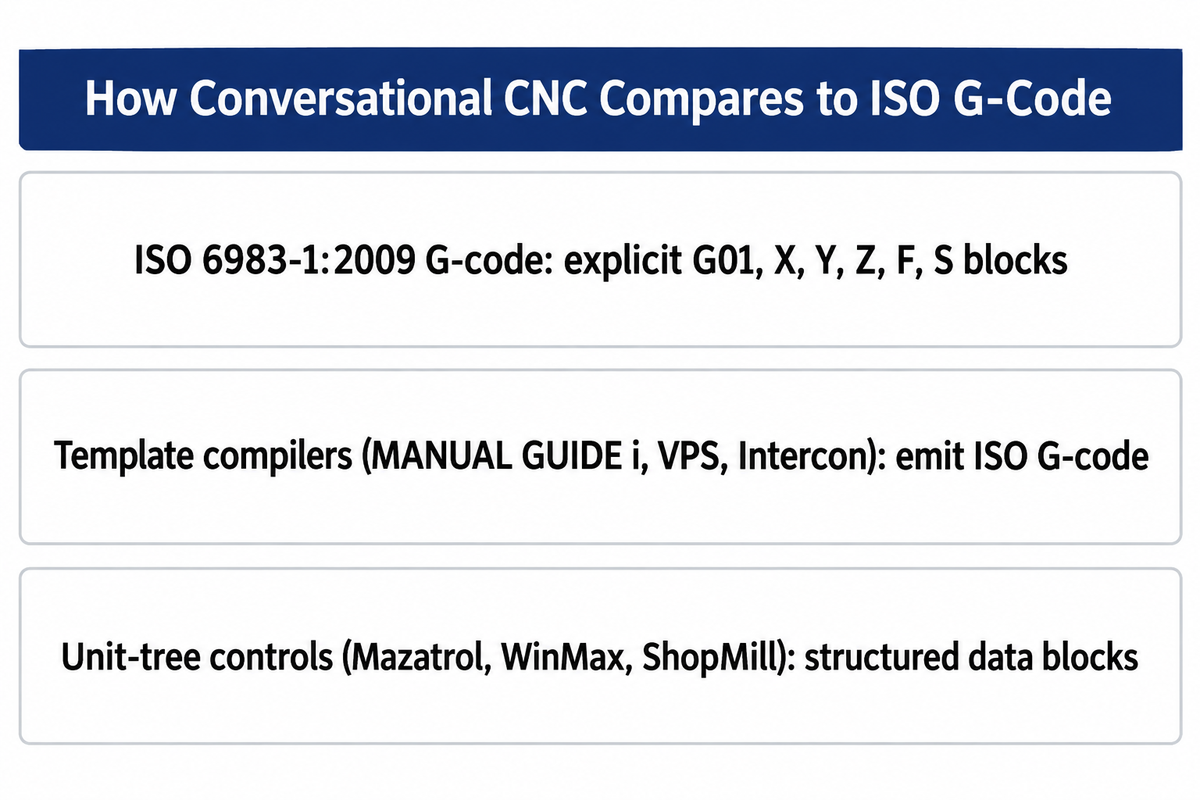
Conversational programming converts menu-entered geometry into motion instructions, while manual ISO G-code programming specifies those instructions directly; when machining precision cnc parts, every computer numerical control machine tool ultimately moves its servo axes according to numerical coordinate commands and modal preparatory functions. Under ISO 6983-1:2009 (last reviewed and confirmed in 2025), conventional G-code defines positioning, linear motion, and contouring blocks through explicit address words such as G01, X, Y, Z, F, and S. According to a 2024 PMC review on integrated CAM/CNC control systems, G-code has existed for nearly sixty years as the primary programming language for machine tools and represents complex process plans across thousands or millions of individual lines.
“ISO 6983-1:2009 specifies requirements and makes recommendations for a data format for positioning, line motion and contouring control systems used in the numerical control of machines.”
Instead of typing raw coordinate blocks from scratch, conversational programming software places a user friendly graphic user interface (GUI) between the machinist and the motion kernel. As explained by Cutting Tool Engineering, this type of computer programming is done using simple, understandable prompts and creates machine-ready part programme without requiring thorough programming knowledge of ISO address codes. Depending on your selection (face milling, OD roughing, tapping, or peck drilling, for example), you fill out geometry fields directly from your print.
G-code programming and conversational inputs are executed by CNC controls. In CNC machining, code blocks are typically used to represent NC operations. For instance, Template-to-G-code generators (e.g. FANUC MANUAL GUIDE i, Haas Visual Programming System (VPS) and Centroid Intercon) generate fixed-form sentences or G-code blocks and are based on the ISO code format. On the other hand, unit-tree controls (Mazak Mazatrol, Hurco WinMax (informed by object-oriented control architecture in US Patent US5453933A) and Siemens ShopMill/ShopTurn) store operations as data blocks that define an internal NC program tree (US Patent US6584373B1).
This decides what happens after the wizard generates the toolpath. Conversational wizards that emit ISO G-code (such as Fanuc Manual Guide i, Haas VPS, and Centroid Intercon) allow block-level editing on the same controller family, but their custom macros and canned cycles are not directly portable across different CNC brands without manual editing or reposting. If your shop relies on standard G-code and M-code commands to generate g-code for cross-machine routing, you must confirm a conversational control outputs readable RS-274D text or stores geometry in a brand-specific unit file.
What is conversational programming in CNC?
Conversational programming in CNC is a graphic, Q and A, programming method, where the machinist enters geometry as workpiece dimensions, tool numbers, and cutting parameters, in fill-in-the-blank forms on the console, rather than typing G-code commands in a linear fashion. The machine controller or desktop wizard then generates tool motion from the entered geometry, tooling selections and cutting parameters, including radial stepover, axial depth of cut and spindle speed. Safe execution still requires verified work offsets and fixture clearance.
In practice, conversational programming allows operators to easily move from a 2D blueprint or a part sketched at the workbench to a first article without waiting on an engineering queue. After the stock boundaries are set and a cycle icon is chosen, the control displays a 2D wireframe or a 3D solid model to simulate tool motion, and the user can then press Cycle Start.
2. Conversational CNC Programming vs Manual G-Code vs CAM: The 4-Gate Filter
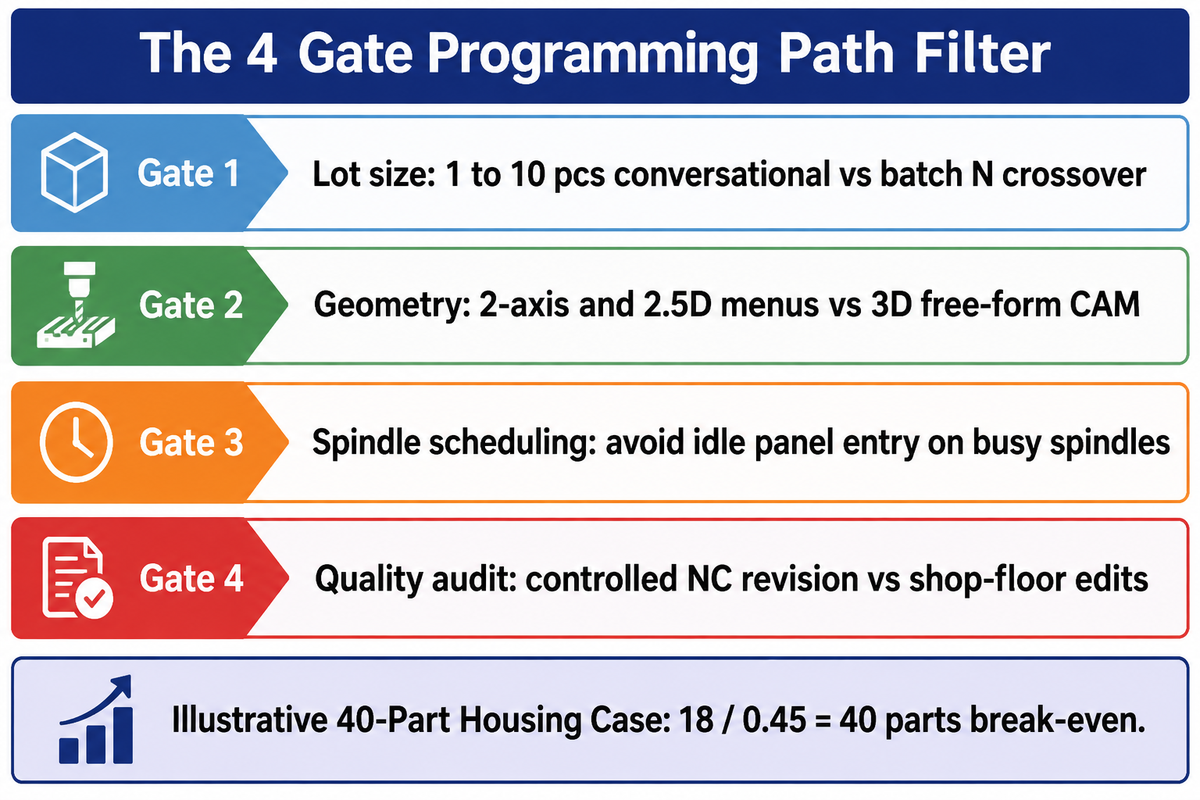
To align part drawings with desired programming workflows, production engineers evaluate four shop floor gates: batch quantity, geometric dimensionality, spindle opportunity cost during set-up, and quality audit traceability. Applying the structured filter prevents both CAM queue bottlenecks on simple jobs and cumulative cycle time losses on long production runs.
Aging demographics of the workforce explain the recent trend by shop managers to pair conversational controls with CAD/CAM seats. According to the U.S. Bureau of Labor Statistics (BLS), about 30,400 openings for machinists and tool and die makers are projected each year over the 2025 to 2035 decade despite a 1 percent employment decline. A 2026 workforce bottleneck analysis by Sierra Machinery similarly notes that overall employment in the occupation is projected to decline about two percent through 2034 as shops rely on automation and faster programming tools to offset retiring veterans.
When senior CAM programmers are tied up on multi-axis fixtures, a computer-aided manufacturing seat tied to create parts like a simple shaft spacer creates an unnecessary queue. To assign every print to the right programming channel, production engineers apply the 4-Gate programming path filter.
- Gate 1 evaluates lot size and repeat frequency : prototype orders of 1 to 10 pieces favor fast setup at the conversational control, whereas recurring production runs where batch size times per-part cycle savings (N × Δt_cycle) exceeds setup time ΔT_setup justify offline CAM or hand-tuned G-code.
- Gate 2 assesses geometric dimensionality: 2-axis turned profiles, bolt-hole patterns and 2.5D pockets fit on conversational menus, while 3D free-form surfaces are typically programmed in a computer aided design (cad system) and CAM environment due to manual coding volume and verification cost.
- Gate 3 assesses spindle scheduling mode: If typing parameters on the machine’s control panel would displace active chip-making on a busy spindle, prepare the job via background editing, an offline personal computer seat, or a short manual canned cycle.
- Gate 4 assesses quality revision controls: Parts under control of formal configuration audits require controlled, revision-traceable NC programs as opposed to uncontrolled, shop-floor edited programs.
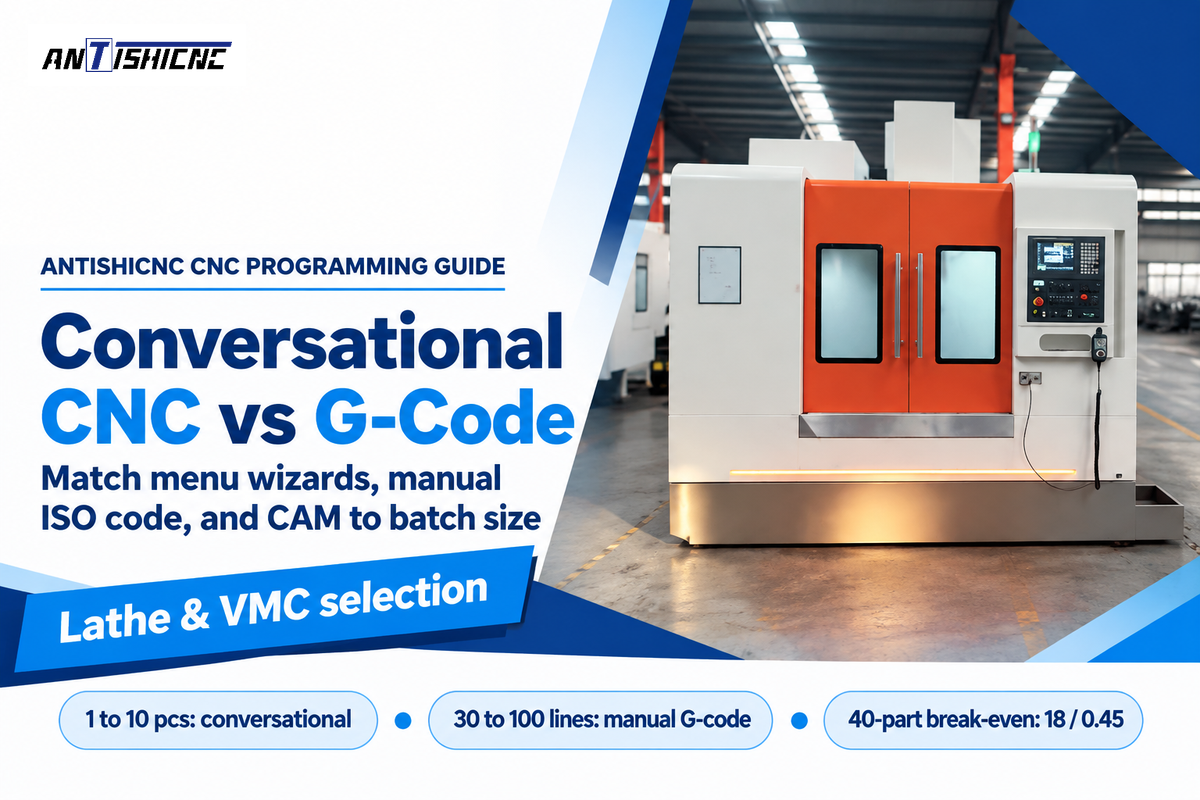
To quantify Gate 1 in an illustrative worked example (the 40-Part Housing Case ), apply the time-only batch break-even formula: N* = ΔT_setup / Δt_cycle, where ΔT_setup is the programming and setup time saved by conversational entry and Δt_cycle is the per-part cycle time penalty caused by conservative wizard clearances. In this illustrative 40-Part Housing Case, suppose a 2.5D pocketed housing takes 12 minutes to enter conversationally versus 30 minutes to model and post in CAM (ΔT_setup = 18 minutes), while conservative wizard retracts add 27 seconds (0.45 minutes) per part; the illustrative time-only break-even point is 18 / 0.45 = 40 parts.
Note the exact limits of this arithmetic. This illustrative time-only model calculates the break-even lot size at 18 / 0.45 = 40 parts when Δt_cycle > 0. It doesn’t distinguish machine downtime from offline programming labor. According to DATRON’s discussion of spindle idle time, when making the same part in the next 5 to 10 years and considering changeover losses in high-mix shops, cycle time dominates total cost. In the long run, process capability, tool life, process and product consistency ultimately influence total cost.
| Part Family / Geometry Class | Typical Batch Range | Illustrative Programming Time (Conv vs G-Code vs CAM) | Illustrative Cycle Time Delta (Δt_cycle) | Primary Winner | Governing Gate in 4-Gate Filter |
|---|---|---|---|---|---|
| Simple turned spacer / bushing (OD, ID, chamfer) | 1 to 25 pcs | 6 min vs 8 min (30 to 100 lines) vs 25 min | 0.05 to 0.15 min/part | Conversational or Manual G71 | Gate 1: Fast first-article turnaround |
| Stepped repair shaft with single-point thread | 1 to 10 pcs | 10 min vs 22 min vs 30 min | 0.10 to 0.25 min/part | Lathe Conversational Wizard | Gate 2: Built-in thread & undercut tables |
| High-volume hydraulic fitting (bar-fed lathe) | 250 to 5,000 pcs | 12 min vs 35 min vs 40 min | 0.30 to 0.60 min/part | Hand-Tuned ISO G-Code | Using the stated cycle-time penalty, the hydraulic fitting break-even batch size is approximately 38.3 to 76.7 parts versus manual G-code, or 46.7 to 93.3 parts versus CAM |
| 2D mounting plate (face, drill, tap, bolt circle) | 1 to 15 pcs | 8 min vs 25 min vs 28 min | 0.10 to 0.20 min/part | Mill Conversational Pattern | Gate 2: Prismatic 2D hole pattern |
| 2.5D housing with pockets (40-Part Housing Case) | 5 to 40 pcs | 12 min vs 45 min vs 30 min | 0.45 min/part (at 40-part N*) | Conversational (<40) / CAM (>40) | Gate 1 & 3: Setup vs batch cycle-time crossover |
| 3+2 five-sided manifold block | 1 to 10 pcs | 18 min vs 65 min vs 55 min | 0.35 to 0.70 min/part | 5-Sided Conversational (WinMax/ShopMill) | Gate 2: Tilted-workplane 2.5D indexing |
| Deep-pocket roughing in 316L or Ti-6Al-4V | 5 to 200 pcs | 15 min (if equipped) vs 50 min vs 35 min | 1.20 to 3.50 min/part saved over basic offset across batch N | CAM or Conversational Control Equipped with Constant-Engagement Roughing | Deep-pocket roughing: CAM or a conversational control equipped with constant-engagement roughing for the pocket geometry |
| 3D injection mold core or die cavity surfacing | 1 to 5 pcs | Not practical vs Not practical vs 90 min | 0.00 min/part (CAM is the sole practical baseline) | Full CAD/CAM System | Gate 2: Freeform 3D surface interpolation (thousands to millions of G-code lines) |
| In-process spindle probe and macro offset routine | All production lots | 5 min template vs 15 min macro vs 20 min | 0.00 min/part | Parametric G65 Macro / VPS Template | Additional capability check: Conditional logic and controller variables |
| Aerospace bracket with applicable AS9100D Clause 8.5.2 identification and traceability controls and AS9102 FAI requirements | 10 to 500 pcs | Controlled panel programming permitted; illustrative manual G-code and CAM programming times: 60 min vs 50 min | 0.40 to 0.90 min/part | Revision-Controlled NC Program | Gate 4: Audited NC revision traceability |
If you do have conversational on your machine(s) but use a full CAD/CAM system instead, could you explain why?
In-house conversational controls still pair with a full CAD/CAM system because offline desktop programming keeps spindles cutting chips, uses customer 3D solid models directly, and generates constant-engagement roughing toolpaths that cut cycle times and extend carbide cutter life.
Twelve pockets require a lot of tedious transcription. Additionally, cam program stored on a central network server can be post-processed to a Fanuc mill today and an Okuma or Haas vertical machining center tomorrow. When customers send revision B of a SolidWorks assembly, updating associative toolpaths in Fusion 360 or Mastercam takes two clicks rather than rebuilding unit blocks at the machine control.
3. CNC Lathe Conversational Cycles vs G71/G76 Canned Cycles
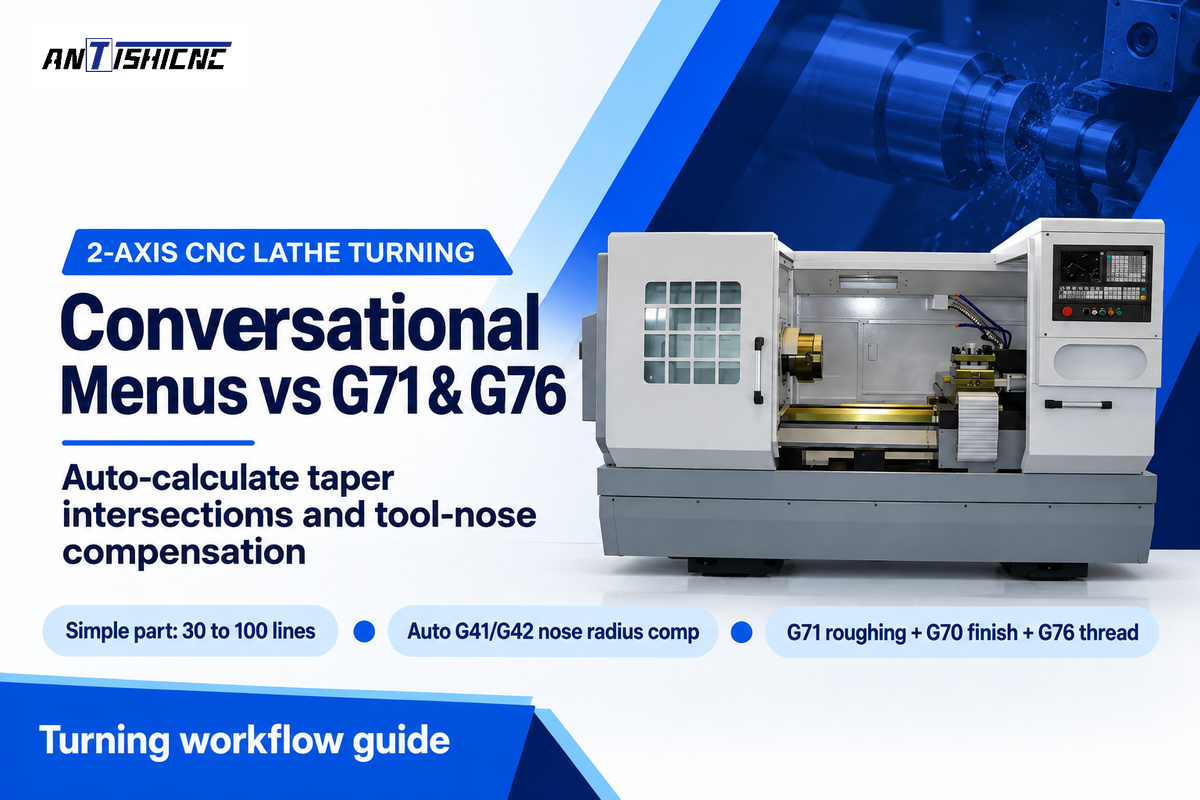
Conversational turning wizards on 2-axis CNC lathes accelerate multi-diameter shaft contouring, relief grooving, and threading by calculating taper intersections and compensating for tool-nose radius automatically. Manual G71 roughing and G76 threading canned cycles can generate compact 30 to 100 line routines which give machinists block-by-block retract control.
As stated in the much-cited Practical Machinist post on conversational adoption, more seasoned turners note that for most lathe programs, CAM or conversational isn’t necessary. Meanwhile, another Practical Machinist post highlights Mazak turning center operators who use lathe conversational programming. They say it’s so fast and easy they never want to do G-code coding on a lathe again.
What gives both sides a strong case? According to MecSoft’s comparison of manual G-code and CAM workflows, a manually written program for a simple part might be 30 to 100 lines. Using standard CNC lathe programming canned cycles like G71, G70, and G76, an experienced machinist can program a bushing procedure in just a few minutes.
However, lathe conversational programming lets machinists define contours using simple menu inputs, removing two error-prone manual chores: trigonometry on non-tangent tapers and nose-radius cutter compensation (G41/G42). This removes two manual chores: trigonometric calculations for non-tangent tapers, and the nose-radius cutter compensation (G41/G42). In a conversational turning menu, one sets the start and end diameters, corner chamfer or blend radius, and the surface roughness. The tool’s controller calculates the tool tip’s imaginary intersection and programs the depth of cut and spring pass.
| Turning Operation | Conversational Menu Inputs | Equivalent ISO G-Code Cycle | Tool Nose & Clearance Handling | Illustrative Entry Time | Shop-Floor Process Consideration |
|---|---|---|---|---|---|
| Bar Facing & Stock Cutoff | Stock OD, Z-allowance, surface speed | G96 S/G50 + G01 X-0.04 F0.008 | Tool center height and Z-offset | 45 sec vs 60 sec | Correct tool center height and cutting edge travel to the spindle center help prevent a center nub during facing and cutoff |
| Multi-Step OD Roughing | Segment table (OD, Z-length, corner R/C) | Two-block G71 U(d) R(e) / G71 P Q U W F | Auto-applied across tapers | 2 min vs 5 min | Solves unknown taper-to-arc intersection points |
| Contour Finish Pass | Surface roughness or feed/rev target | G70 P(start) Q(end) F0.004 | Lead-in and lead-out exit vector | 30 sec vs 45 sec | A lead-out that places compensation cancellation clear of the finished shoulder avoids cancellation marks when the tool data and exit geometry are correct |
| Undercut & Plunge Relief | DIN/ISO relief type, back-clearance angle | Type II G71 (Z-monotonic) + custom groove | Checks trailing insert heel angle | 1 min vs 6 min | Flags 55-deg or 35-deg diamond insert back-gouging |
| OD / ID Groove Pecking | Groove width, floor radius, peck increment | G75 R(retract) / G75 X Z P Q F | Dual-edge tool width offset | 1 min vs 3 min | Auto-calculates step-over from grooving blade width |
| Single-Point Threading | Thread form (UNC/Metric/NPT), pitch, class | G76 P(m)(r)(a) Q R / G76 X Z P Q F | Lookup table for root depth | 90 sec vs 4 min | Constant-volume pass schedule without handbook lookup |
| Centerline Peck Drilling | Drill diameter, hole depth, chip-break peck | G74 R(e) / G74 Z(depth) Q(peck) F | Auto drill-point 118/135-deg comp | 45 sec vs 90 sec | Compensates drill tip cone length automatically |
| Blind-Bore ID Boring | Pilot hole ID, finish ID, bottom clearance | G71 with negative U allowance + G70 | Bore wall and bottom retract clearance | 2 min vs 5 min | Blind-bore retract clearance includes both the bore wall and the bottom; a negative finishing allowance alone does not prevent a collision |
| C-Axis Indexed Cross Drilling | Hole count, C-angle start, live-tool RPM | C-axis position + G83 live-tool peck drill | C-axis positioned and held | 3 min vs 12 min | Indexed cross drilling uses live tooling with the C axis positioned and held; polar contour interpolation coordinates linear-axis motion with continuous C-axis rotation |
Would you consider conversational programming as “CNC”?
Yes, conversational programming is indeed authentic CNC machining. A machine tool’s closed-loop servo drives, precision ballscrews and spindle encoders execute the same interpolated motion commands regardless of where the part program originated, be it in a conversational wizard, a manual text editor, or a desktop CAM system. Conversational menus only affect how the human programmer interacts with the machine console to input geometry features, not how the industrial controller regulates physical axis motion during the cut.
Some veteran programmers are protective of the term because early menu wizards often concealed the underlying code, and restricted overrides of the CNC’s normal feedrate inside canned loops. Conversational and hand written programs for the same machine use the same CNC motion control; rigid tapping and thermal compensation are available when the respective machine functions are installed and enabled.
4. CNC Milling Conversational Wizards: 2.5D Pockets, Patterns, and DXF Import
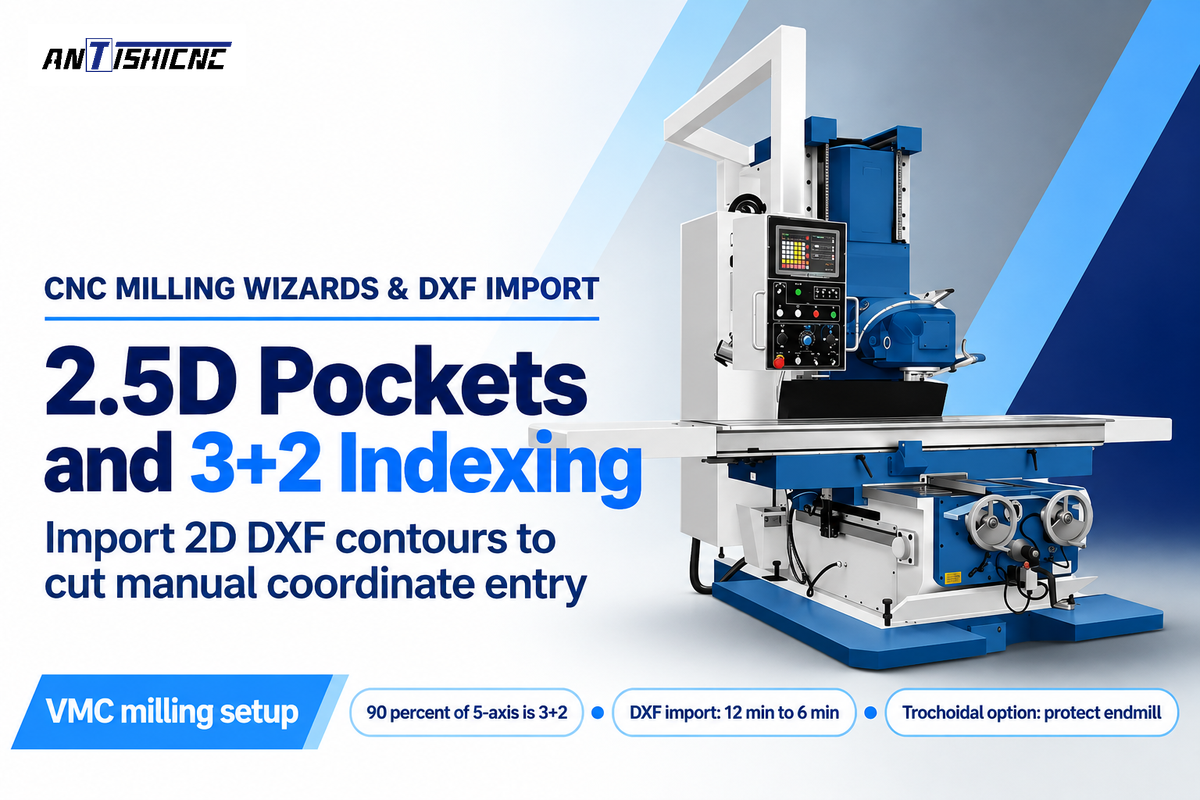
On vertical machining centers, conversational milling wizards speed up 2.5D pocket roughing, bolt-hole patterns, and 3+2 five-sided positioning by generating helical entries and coordinate rotations from menu prompts or imported 2D DXF profiles. Basic CNC milling programming in G-code remains effective for simple face milling and G81/G83 drilling.
Here time-saving 2.5D milling and 3+2 indexed positioning really stand out. According to a Cutting Tool Engineering article on 5-axis conversational machining, Hurco’s Michael Cope stated that roughly 90 percent of the 5-axis market is driven by 3+2 (five-sided) machining as compared to simultaneous 5-axis contouring. Cope added that virtually any 2.5D work, meaning simultaneous X- and Y-axis movement with Z-axis positioning, can be programmed conversationally, serving job shops, tool and die makers, and prototyping teams doing 10 of one part and five of another.
Modern milling controls also minimize manual coordinate typing via 2D DXF import. On Siemens SINUMERIK systems with ShopMill and the DXF Reader activated, operators can import a 2D CAD file at the control, select pocket boundaries or hole patterns and define other supported machining operations. For our illustrative 40-Part Housing Case, importing the 2D pocket boundary via DXF reduced conversational time from 12 minutes to 6 minutes (increasing setup savings ΔT_setup to 24 minutes from a 30-minute CAM baseline). Additionally, Kentech’s KipwareM and KipwareT conversational software permit users to recall fill-in-the-blank forms and auto-rotate tool cycles to any user defined angle, all without G-code experience.
How would you conversationally program an adaptive roughing toolpath?
You can program an adaptive roughing toolpath conversationally only if your CNC machine controller is equipped with a dedicated constant-engagement trochoidal milling option, for example, Hurco WinMax UltiPocket with AdaptiPath, or Siemens ShopMill on the machine control.
Basic conversational pocket wizards that don’t have those options generate fixed-percentage linear or concentric offset stepovers rather than load-controlled trochoidal arcs. When an offset toolpath enters an internal corner, cutter engagement can rise above the straight-cut level, increasing cutting load, even if the programmed stepover remains the same. Drilling a corner relief hole, or using a dedicated trochoidal pocket option protects the endmill from full-slot corner overload.
5. Comparing Major Controller Systems: Fanuc, Siemens, Mazatrol, Haas, and Hurco
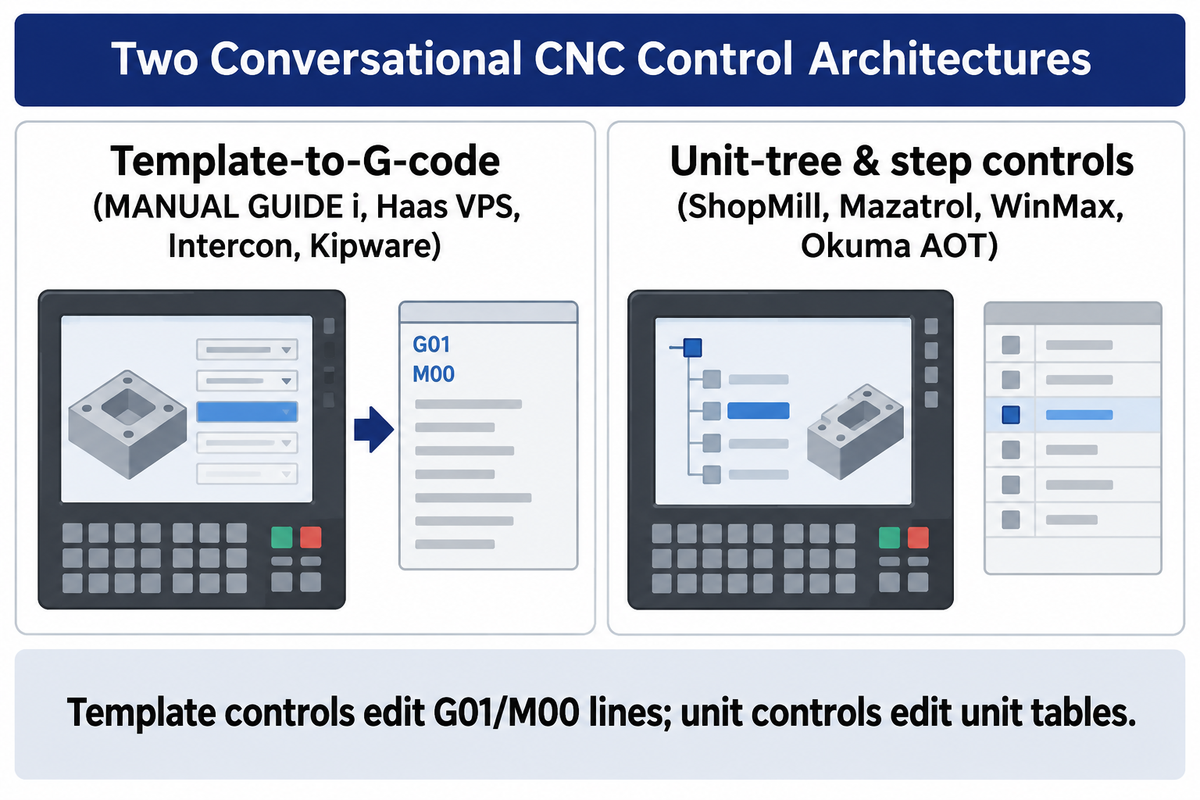
Whether you program 2.5D milling pockets or turned shafts, major conversational CNC platforms differ in the ways they store operations, handle block-level edits, and migrate programs across machines. Template-to-G-code generators (Fanuc Manual Guide i, Haas VPS, Centroid Intercon, Kipware) insert readable ISO blocks into a part program, and structured step or unit-tree systems (Siemens ShopMill/ShopTurn, Mazak Mazatrol, Hurco WinMax, Okuma AOT) manage machining processes through dedicated process blocks.
This difference determines how editing and program migration are performed on the shop floor. On template-based controls, an operator can directly edit G01 feed moves, M00 stops, and/or custom macro variables in an ISO file after generating a pocket or thread cycle. On unit-tree controls, machinists modify unit dimensions, tools, and cutting conditions, inside a unit table rather than edit raw G-code lines, and the features differ across various brands depending on the controller and purchased software.
- Equipped with FANUC MANUAL GUIDE i, the control uses the ISO code format with an ergonomic graphic user interface, letting operators insert fixed-form cycle sentences into standard Fanuc part programs.
- With Siemens SINUMERIK ShopMill / ShopTurn, machinists can create step programs for machining while using high-level G-code language, and work with optional DXF readers, 3+2 tilted workplanes, and perform 3D simulation.
- Using Mazak Mazatrol controls, a unit-based process block calculates a cutting sequence, and suggests feeds and speeds from workpiece material inputs, while EIA/ISO mode runs standard G-code programs.
- In Hurco WinMax consoles (US Patent US5453933A), object-oriented conversational blocks support 2.5D milling, and 5-sided transform-plane indexing and NC Merge when the respective functions are turned on (CTE).
- With Haas Visual Programming System (VPS), operators quickly create simple routines by choosing a function template, entering variables, and outputting G-code (such as the G47 engraving cycle example); Haas also provides a 200-hour tryout on purchasable options.
- Through Okuma Advanced One-Touch (AOT / IGF), the control supports graphic process steps and work coordinate system rotation for five-sided machining (CTE).
- In Fagor conversational controls, Fagor’s dual-mode interface allows a machinist to create simple cycles to be displayed graphically or switched to ISO G-code editing on toolroom lathes and mills.
- Pairing Centroid Intercon with Kentech KipwareM / KipwareT, prompts assist mill and lathe to generate operations in standard ISO G-code files for further processing or execution on a shop-floor or PC-based system.
| Conversational Platform | Internal Data Architecture | Output Program Format | 2D DXF / Geometry Input | Offline Simulator / PC Software | Operational Scope & License Notes |
|---|---|---|---|---|---|
| FANUC MANUAL GUIDE i | ISO code format cycle platform | ISO G-code + fixed-form sentences | Graphic cycle & contour menus | FANUC CNC Guide on PC | Enables shop-floor part program creation without prior G-code memorization; option activation depends on CNC model |
| Siemens ShopMill / ShopTurn | Machining step sequence tree | Machining step program or G-code | SINUMERIK DXF Reader option | Siemens SinuTrain / virtual CNC on PC | Combines ShopMill/ShopTurn step programming with high-level G-code language; DXF and 5-axis packages are configuration dependent |
| Mazak Mazatrol | Proprietary unit-block tree | Native Mazatrol unit file (separate EIA/ISO) | Menu-driven shaft & mill units | Mazatrol offline PC / CAM post | Highly rated by lathe operators in Practical Machinist reports for fast 2-axis turning and hole patterns |
| Hurco WinMax | Object-oriented data block model (US5453933A) | Hurco conversational + NC Merge | 2.5D geometry & transform planes | WinMax Desktop PC software | Supports 5-sided transform-plane positioning and swept 3D shapes when licensed (CTE) |
| Haas Visual Programming (VPS) | Variable-fill macro template | Standard Haas ISO G-code (e.g., G47) | Template directory in EDIT tab | Haas Control Simulator module | Guided templates insert G-code into a part program; operators still need to understand tooling, offsets, machining parameters, and insertion points |
| Okuma Advanced One-Touch (AOT) | Graphic process step sequence | Control process file + ISO output | Work coordinate rotation menus | OSP offline PC programming seat | Supports rotation of the work coordinate system for 5-sided machining (CTE) |
| Fagor Conversational Control | Dual-mode icon cycle & ISO kernel | Fagor cycle blocks + ISO G-code | Fill-in graphic profile screens | Fagor PC simulator transfer | Used on flatbed and toolroom lathes where operators switch between conversational cycles and G-code |
| Centroid Intercon | Event-list to G-code compiler | Intercon `.icn` + standard G-code | Menu-prompted mill & lathe cycles | Offline Intercon (#15100) on PC | Runs in a 20-line demo mode without the USB keylock; requires copying machine tool library files for exact match |
| Kentech KipwareM / KipwareT | PC-based .NET form compiler | Fanuc/Haas/Okuma ISO G-code | Fill-in-the-blank forms + angle rotate | 100% PC-native desktop software | Recalls and edits saved cycles in conversational menus and plots toolpaths via KipwareTP (CTE) |
| Modular MMI / NC Tree Architecture | 3-unit MMI, MCU, and NC control (US6584373B1) | Function data 10 & control data 11 | MMI operating & selection surface | Control code linked to NC tree | Separates visualization unit 1 from machine control unit 2 and NC unit 3 for flexible dialogue guidance |
Back to my original question: What capabilities is conversational missing?
Basic 2- and 3-axis conversational templates fail to generate simultaneous 5-axis freeform surface interpolation and multi-fixture 3D rest-machining of stock models, and entry-level packages such as Haas VPS and Centroid Intercon fail to model custom tombstones and steady rests to eliminate collisions for full assemblies. While advanced platforms, e.g. Mazak Smooth, Siemens SINUMERIK, and Okuma OSP, provide 3D verification and concurrent multi-channel support (with license), their wizards can’t shorten non-cutting rapid links across nested palletized components.
Since basic conversational cycles evaluate one feature block at a time, they aren’t always able to figure out the 3D remaining stock left by a previous roughing cutter from a different work offset. For rest-mill or simultaneous B-axis machining, it is a good idea to use a CAM programming route if the conversational control has no toolpath. Gouge checking requires accurate tool and part geometry.
6. Offline Conversational Software and PC Simulators to Prevent Spindle Downtime
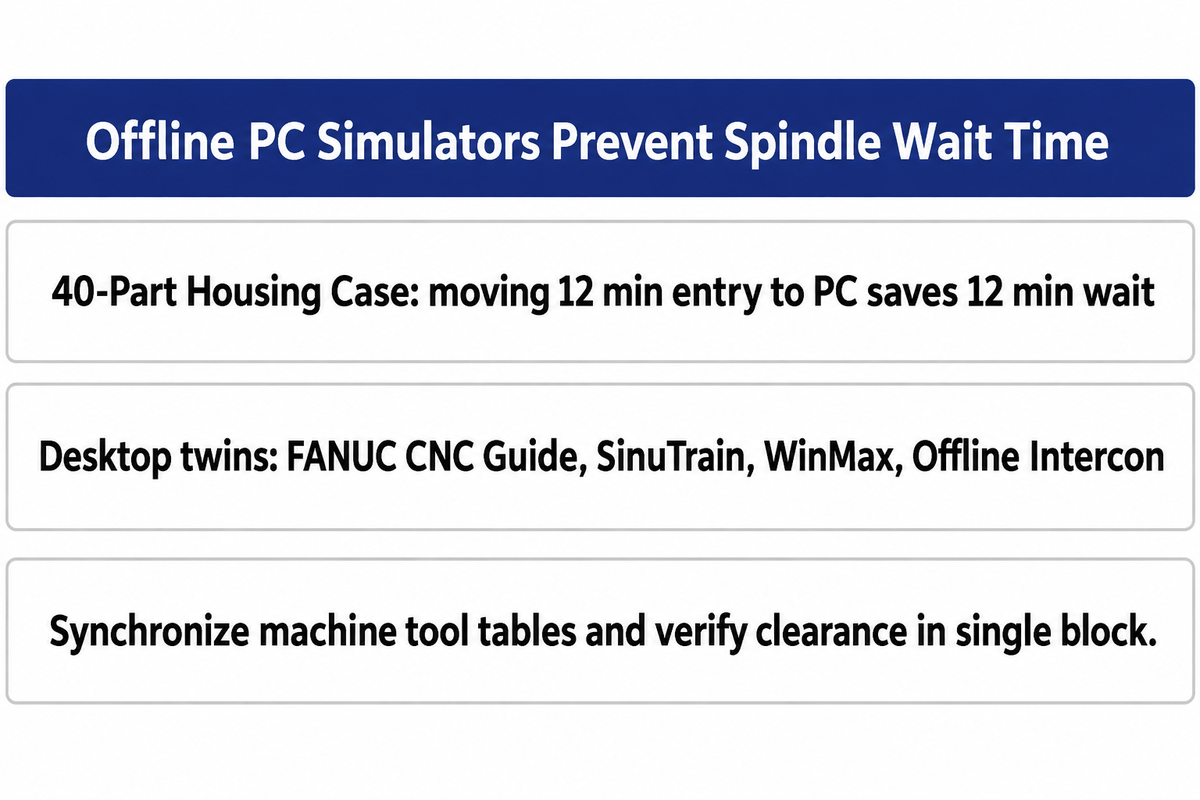
Offline versions of the conversational software and PC controller simulators give machinists access to conversational menus on a desktop computer, allowing employees to write, plot and test part programs while the CNC spindle is in production. Moving menu entry from the machine pedestal to an office PC reduces programming-related wait time on controls without background editing.
Kentech highlights machine dependence and possible spindle downtime as drawbacks of control based conversational programming, while controls with background editing allow another program to be prepared while the current job is being run. In our 40-Part Housing Case, if a machine is lacking background editing, moving the 12 minute conversational entry from an idle panel to an offline PC seat saves 12 minutes of spindle wait time, while still maintaining the 40 part cycle-time crossover.
Offline versions of desktop twins and PC based conversational compiler software, create online and offline workflows using fill-in-the-blank menus to increase productivity.
- Using the FANUC CNC Guide, the software simulates FANUC CNC controls on the PC for part programming and G-code testing and cycle verification, eliminating the need for machine time, thus allowing engineers to create programs with MANUAL GUIDE i, on a desktop computer.
- Using Siemens SINUMERIK SinuTrain virtual models and Hurco WinMax desktop seats, operators prepare and simulate the next job offline while running a job on the shop floor.
- With Centroid Offline Intercon (#15100), programmers build Mill and Lathe conversational programs on a Windows PC and transfer compiled G-code via USB or LAN; plugging in the hardware USB keylock unlocks the full features of Offline Intercon beyond its 20-line demo mode.
- Through PC-native multi-brand suites (KipwareM / KipwareT), machinists can use a single laptop or PC interface to output G-code for Fanuc, Haas, or Okuma machines.
Discipline for tool library synchronization is critical for an offline conversational workflow. Offline conversational PC seats (FANUC CNC Guide, Siemens SinuTrain, Centroid Offline Intercon) require synchronized machine tool tables and don’t automatically model custom third-party chuck jaws or steady rests for full 3D collision checking. Verify work offsets and axial clearance in dry run or single block mode, to ensure there is no collision before releasing the program for use.
7. Cycle-Time Overhead, Program Portability, and Quality Audit Locks
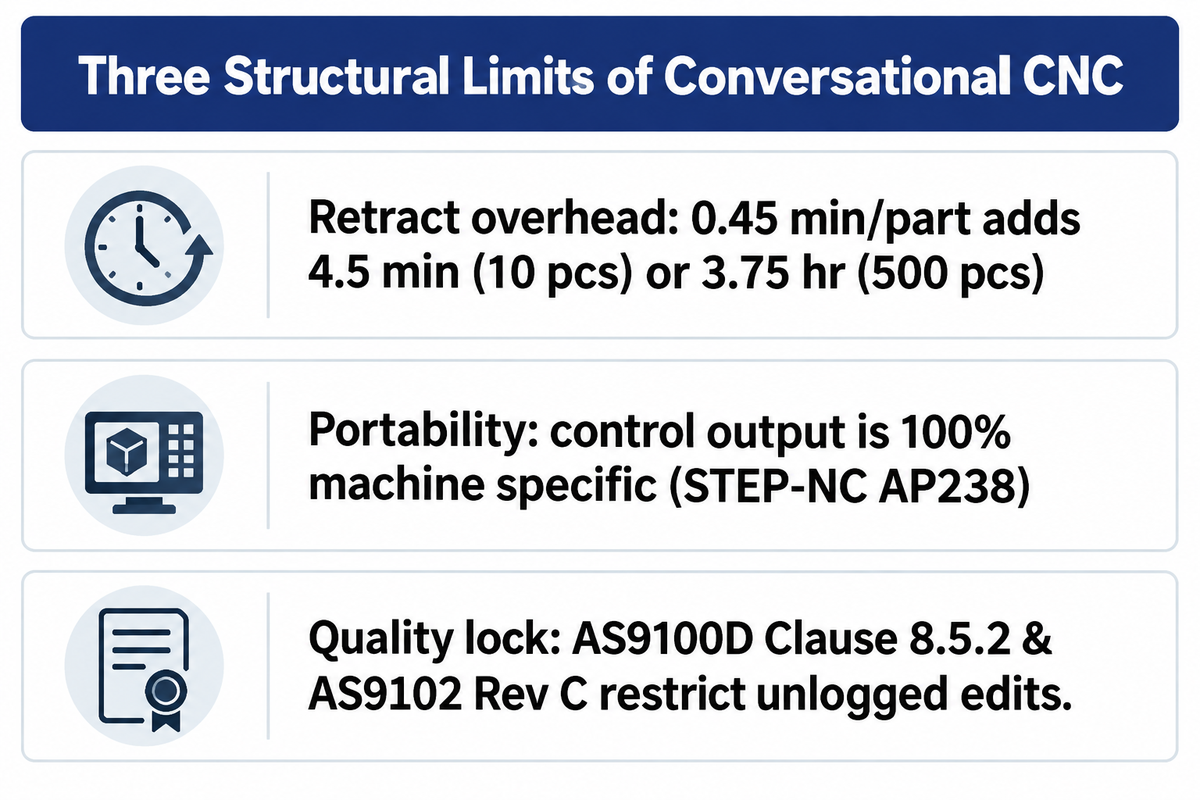
There are three structural constraints that a manufacturing manager needs to evaluate before standardizing a shop around conversational programming. These are per-part cycle-time overhead from conservative clearance moves, cross-brand program lock-in, and certain traceability rules of the Quality Management System (QMS) that govern how NC programs are verified and altered.
First, clearance planes and retract moves in conversational wizardry can provide the necessary space around programmed geometry. Unmodeled clamps or incorrect work offsets can still cause collisions. Across our illustrative 40-part housing case, those conservative retracts add 0.45 minute (27 seconds) per part, and although they only take 4.5 minutes to process 10 parts, it takes 3.75 hours to process a 500 part batch.
Second, cross-brand portability remains a major hurdle. As Kentech’s portability review notes, control-based conversational output is 100% machine specific. Even international standards bodies have found that geometry portability doesn’t equal process portability: in a joint Boeing and NIST validation of STEP AP238 (STEP-NC) Conformance Class 1 for 5-axis machining, researchers proved that STEP-NC tool-center programming geometrical data is portable across different 5-axis CNCs, but cautioned that although CNC programs can be data-neutral, they aren’t necessarily process-neutral.
Finally, regulated industries restrict unlogged edits at the machine pedestal. According to Precision Advanced Manufacturing’s guide to AS9100D multi-axis traceability, AS9100D Clause 8.5.2 addresses identification and traceability where traceability is required, while AS9102 Rev C Forms 1, 2, and 3 record part accountability, product accountability, and characteristic accountability and verification results. Within aerospace and defense contracts where AS9100D Clause 8.5.2 and AS9102 Rev C apply, quality systems prohibit undocumented at-the-control program edits rather than formal engineering change orders or controlled panel programming.
8. How to Specify Controller Options When Ordering a CNC Lathe or Machining Center
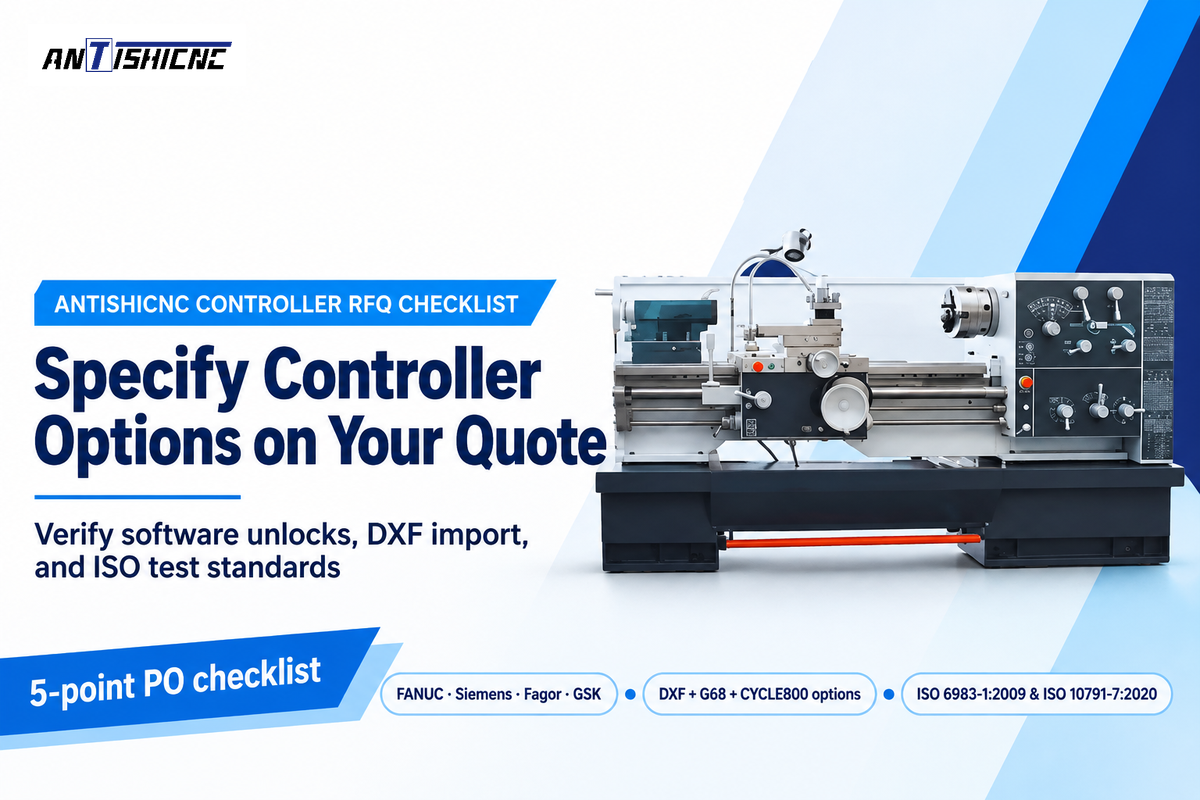
When purchasing a CNC lathe or vertical machining center, customers should confirm controller model compatibility, activation of the conversational software license, the availability of 2D DXF, tilted workplane, offline PC simulation, and standard Acceptance Test Criteria on the written machine quotation, prior to issuance of a purchase order.
In the global machine tool market, builders implement conversational and teach-in controls through two main delivery models. Proprietary builder-integrated platforms include Mazak turning centers and machining centers equipped with Mazatrol, Hurco 3-axis and 5-axis machining centers running WinMax, Okuma lathes and mills with Advanced One-Touch (AOT/IGF), and Haas mills and lathes offering Visual Programming System (VPS) templates (CTE; Haas). In parallel, multi-controller and teach-in machine suppliers, such as KAAST Machine Tools, toolroom flatbed lathe builders using Fagor or Centroid Intercon controls, and ANTISHICNC, configure machines around Fanuc, Siemens, Fagor, or GSK control packages.
Additionally, ANTISHICNC provides multi-axis machining centers such as the VMC 650 vertical machining center (which supports 3, 4, or 5 axes for high-precision milling, drilling, boring, and slot cutting) as well as flatbed teach-in and slant-bed CNC lathe machines and vertical machining centers (VMCs) with FANUC, Siemens or GSK controllers. When shops use conversational options such as FANUC MANUAL GUIDE i, Siemens ShopMill/ShopTurn, 2D DXF importers, and offline PC simulators, those packages may be sold as separate software unlocks or bundled with the base machine, depending on the builder and controller tier (rather than being pre-activated by default on every base machine). Walk through this five-point checklist before signing the purchase order:
- The machine shop has an activated quote specifying FANUC MANUAL GUIDE i, Siemens ShopMill/ShopTurn, or Haas VPS (with a 200-hour evaluation of purchasable options).
- Confirm 2D DXF import and coordinate rotation licenses for the machine shop: DXF import transfers drawing contours into the control, planar coordinate rotation with G68 supports rotated plate features, and 3+2 indexed machining uses tilted-workplane functions such as Siemens CYCLE800 with configured rotary-axis kinematics.
- The machine shop has adequate part program memory to prevent look-ahead buffer starvation with programs using conversational roughing cycles and high-density CAM finishing blocks.
- The machine shop has an offline PC simulator and a procedure to synchronize the machine tool offset tables. The simulator can be FANUC CNC Guide or Centroid Offline Intercon with its hardware USB keylock.
- Specify program format and cutting accuracy standards: reference ISO 6983-1:2009 for the program format and definitions of address words used in numerical control, and ISO 10791-7:2020 (Test conditions for machining centres, Part 7: Accuracy of finished test pieces) when verifying finished test piece cutting accuracy on machining centres.
Match a CNC Controller to Your Part Drawings
No matter if your shop runs 1-off maintenance shafts on a flatbed teach-in CNC lathe or 3+2 indexed housings on a VMC 650 vertical machining center, ANTISHICNC’s engineering team can quote FANUC, Siemens, and GSK controller packages with the specific conversational options, Canned cycles and interface documents your machinists require. Send us your part drawings to confirm model specifications and option availability before ordering.
Frequently asked questions
Can conversational CNC programming generate standard G-code for editing?
Yes, template-based systems like Fanuc Manual Guide i, Haas VPS, Centroid Intercon, and Kipware generate G-code blocks that can be inspected and edited line by line by machinists at the pedestal or in a text editor. Mazak Mazatrol and Hurco WinMax store native conversational programs separately from EIA/ISO programs. Editing a separate G-code program does not require converting the conversational program, and merging programs is different from converting native unit blocks to editable G-code programs.
Which CNC controller has the best conversational programming for a job shop?
For 2-axis turning and mill-turn shafts, Mazak Mazatrol and Siemens ShopTurn are machinist favorites for automated tool sequencing and material-based speed and feed calculation. For 3-axis and 5-sided job-shop milling, Hurco WinMax and Siemens ShopMill offer fast 2.5D pocket and tilted-workplane indexing when equipped with the relevant options, while Fanuc Manual Guide i suits shops that mix conversational fixed-form sentences with hand-written ISO G-code macros in one file.
Is conversational programming better suited for CNC lathes or CNC mills?
Conversational programming delivers a better return on investment for CNC lathes because axisymmetric turned features (profiles, grooves, tapers and single point threads) are naturally sequential 2D segments that easily fit conversational prompts. On CNC mills, conversational wizards excel at hole patterns, face milling, and 2.5D pockets, whereas multi-setup 3D surface jobs are typically programmed in CAD/CAM.
Can I run conversational CNC software offline on a desktop PC?
Yes, most CNC builders and third-party developers provide offline PC simulators or conversational compilers.
Packages such as Fanuc CNC Guide, Centroid Offline Intercon (#15100), and KipwareM/KipwareT allow programmers to build and edit conversational files on a PC while keeping the spindle running in the process.
When should a machine shop skip conversational programming and go straight to CAM?
Use CAD/CAM when simultaneous 3-axis to 5-axis freeform toolpaths exceed the conversational control’s capabilities, or when a production batch size exceeds your job-specific setup-to-cycle-time break-even threshold. For titanium or Inconel pockets, advanced conversational systems (such as Hurco WinMax UltiPocket or Siemens ShopMill dynamic cycles) can also provide constant-engagement trochoidal roughing on 2.5D geometry, whereas complex 3D freeform roughing and multi-setup stock models belong in a full CAD/CAM environment.
Likewise, if the customer contract mandates formal NC revision traceability and external 3D simulation, offline CAM workflows are preferable. In such cases, importing the customer’s 3D solid model in CAM eliminates the need for manual geometry and, more importantly, eliminates the risk of entering dimensions incorrectly. Toolpath refinement can result in further cycle time reduction, and revision records linked to the CAD/CAM master help support quality audits.
References & Sources
- International Organization for Standardization. ISO 6983-1:2009: Automation systems and integration, Numerical control of machines, Program format and definitions of address words, Part 1 (Confirmed 2025).
- International Organization for Standardization. ISO 10791-7:2020: Test conditions for machining centres, Part 7: Accuracy of finished test pieces (Confirmed 2025).
- U.S. Bureau of Labor Statistics (BLS). Occupational Outlook Handbook: Machinists and Tool and Die Makers (2025-2035 employment projections).
- National Center for Biotechnology Information / PMC. The State of Integrated CAM/CNC Control Systems: Prior Developments and the Path Toward a Smarter CNC (2024).
- National Institute of Standards and Technology (NIST) & Boeing. Validating Portability of STEP-NC Tool Center Programming.
- United States Patent and Trademark Office. US Patent US6584373B1: Method for controlling a CNC machine tool.
- United States Patent and Trademark Office. US Patent US5453933A: Object-oriented CNC machine tool control system.
- Cutting Tool Engineering (CTE). Conversational Programming for 5-Axis Machines.
- Cutting Tool Engineering (CTE). Glossary: Conversational Programming & KipwareM and KipwareT Conversational CNC Programming Software.